



Talk to sales Contact Login English

Product Updates

Latest features, improvements, and fixes in UpMenu

June 2026

Just Eat (Takeaway.com, Liferando) Integration

This Marketplace integration lets you manage Just Eat, Takeaway.com, and Lieferando orders directly within UpMenu β€” all from one place.

Wolt Integration

This Marketplace integration lets you manage Wolt orders directly within UpMenu β€” all from one place.

Print Templates

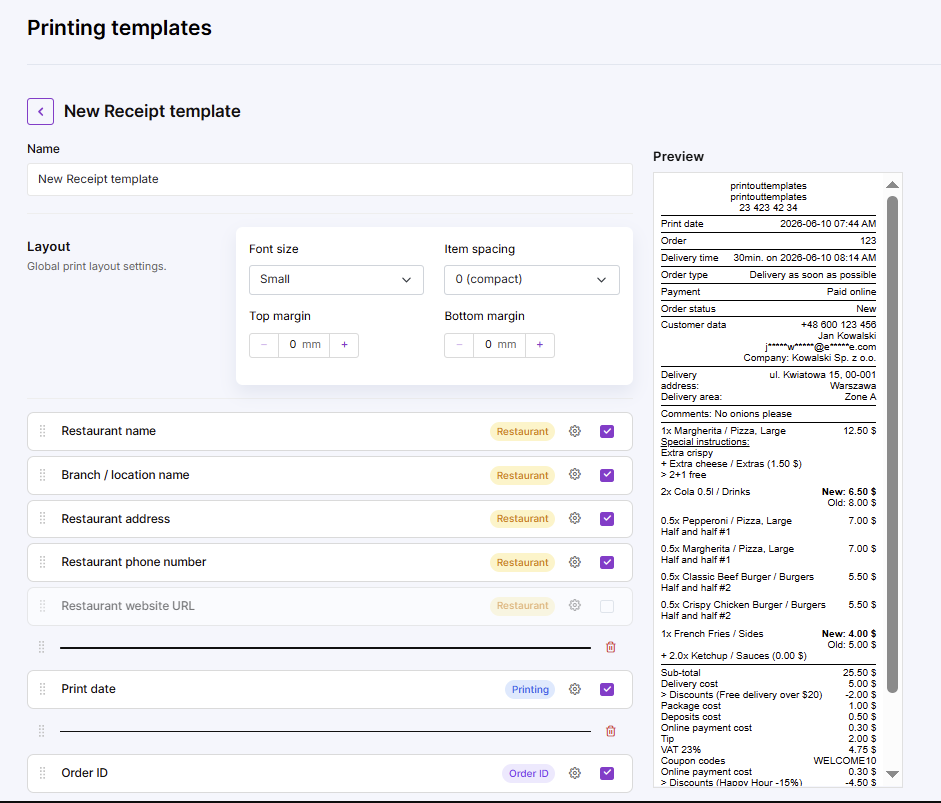
Print templates allow you to customize what information is included on printed documents and how that information is displayed β€” across receipts, kitchen tickets, driver tickets, package labels, and reservation confirmations.

Bug fixes

  • Clean receipts, no blank gapsThe blank field that showed up on printouts is gone β€” receipts and tickets now print the way they should.
  • Smooth test orders on trialAccepting test orders during the trial now works without hiccups β€” easier to put the system through its paces before going live.
  • Correct SEO meta tags in the editorSEO meta tags now show in the CMS editor exactly as configured β€” better visibility on Google with no extra fiddling.

May 2026

New features & improvements

  • One driver, multiple locations
    Drivers can now be assigned to more than one location at the same time. Useful for restaurant groups or any setup where a single driver covers nearby spots – no more switching accounts or missing orders.
    Learn more
  • Pause orders and reservations from the orders screenThe toggle to stop accepting orders or reservations is now right on the orders screen – no need to navigate to a separate settings view. One less step when things get busy.
  • Menu filtering by sales channel β€” Choose which menu items and categories appear on which sales channels. Easier to tailor offerings per channel.
  • Multilingual order handling β€” Staff see orders in the restaurant’s language; customers see them in the language they ordered in. Fewer misunderstandings for international restaurants.
  • Stuart and Uber Direct packaging in POS β€” Select dedicated packaging when sending orders via Stuart or Uber Direct. Better delivery logistics, fewer transport-related issues.
  • Printer settings moved to UpMenu panel β€” Manage all restaurant printers from a new “Printers” screen in the UpMenu panel. No more switching between admin app and panel.
  • Discounts shown on printouts β€” Receipts and kitchen tickets now display discount details. Clearer billing and easier order verification.
  • Email anonymization on printouts β€” Customer email addresses are masked on printed documents. Improves GDPR compliance.
  • Login rate limiting β€” Login attempts are now limited to prevent brute-force attacks. Stronger account security.
  • New unified order statuses β€” Consistent statuses across all order types: ready for pickup, preparing, prepared, in delivery, completed. Better fulfillment tracking and clearer customer communication.
  • Instant billing for add-on modules β€” Pay for add-on modules the moment you activate them, not at the next billing cycle. Faster purchasing and clearer finances.
  • Best Sellers category redesign β€” Top-selling products now display in a cleaner, more attractive way. Boosts upselling and average order value.
  • Cleaner loyalty stamps display β€” Loyalty program progress is easier to see, encouraging more customer engagement.

Bug fixes

  • Test orders working again on new accounts
    Restaurants can now place and accept test orders right after signing up – no workarounds needed. Makes onboarding faster and gives new users a smoother first experience.
  • Analytics fixed for iframe installationsTracking data now comes through correctly for iframe setups – campaigns, traffic sources, and conversions all show up accurately in reports regardless of how UpMenu is installed on the site. 
  • Line breaks in SMS campaigns β€” Format SMS messages with line breaks for better readability.
  • Image slider display β€” Image banners now display correctly in the online menu, improving promotion visibility.
  • Widget analytics tracking β€” More accurate conversion tracking for widget installations. Better measurement of marketing campaigns.
  • XSS security patches β€” Strengthened platform security against XSS attacks.
  • POS order delays eliminated β€” Orders now reach the POS without delay. Faster guest service during peak hours.
  • “Order again” pricing β€” Fixed a bug where reordering loaded outdated prices. Customers now always see current pricing.
  • Sitemap generation β€” Better indexing by search engines, improving Google visibility for restaurant websites.
  • Partner email logo β€” Account logo now displays correctly in partner transactional emails. Consistent brand identity in every touchpoint.
  • iOS subcategory display β€” Fixed bug where subcategories disappeared in the web menu on iOS devices. iPhone customers now have full menu access.
  • Product copying with add-ons β€” Copying a product now correctly transfers all linked add-ons. Saves time when building menus and prevents configuration errors.

April 2026

Sunmi Cloud Kitchen Printer support

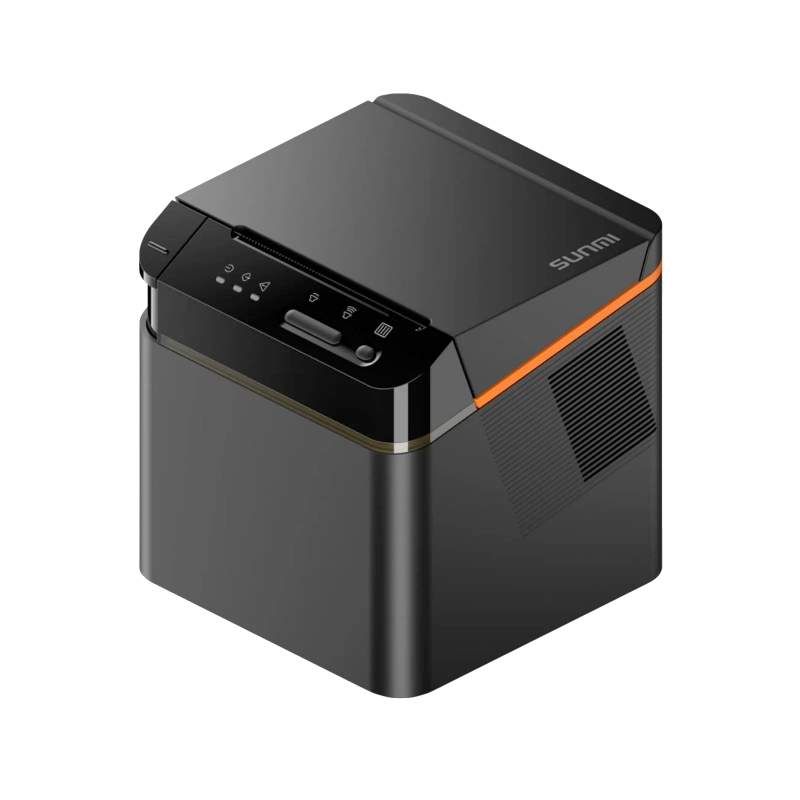
Added Sunmi Cloud Kitchen Printer to the printer settings, with links to Help Center docs and Device Manager setup. Sunmi users get full self-service configuration.

New POS features & improvements

  • Manager PIN for critical POS operations β€” New setting requires manager PIN confirmation for actions like price changes, voids, bill edits, or manual discounts. Stronger financial control and protection against unauthorized changes.
  • POS keyboard language memory β€” POS now remembers your preferred keyboard language. Faster work for multilingual restaurants and international chains.
  • Price editing in POS cart β€” Manually override product and add-on prices directly in the POS cart, with full tax handling, quantity changes, and “restore original price” option. Useful for custom orders or individual pricing.
  • Serving order (courses) in POS β€” Manage multi-course serving directly from the POS cart. Assign a course number to each item; the system sorts and groups them on kitchen tickets. Smoother service and better kitchen organization.
  • Custom payment methods in POS β€” Create, edit, and enable/disable custom payment methods (e.g., lunch vouchers, corporate accounts). New methods integrate with the order process and appear in order history filters.
  • Manual packaging editing in POS β€” Staff can now modify packaging assigned to orders directly in the POS interface. No more switching to the admin panel for corrections.
  • Customer Status promotion conditions: OR logic β€” Customer status conditions in promotions (registered, first order, business customer, etc.) now use OR instead of AND. Meeting any one condition triggers the discount β€” matching the panel UI and restaurateur expectations.

Bug fixes

  • StarCloud Print native commands β€” Added native command printing for StarCloud Print printers, with the option to switch between graphic and native modes. Faster, more reliable prints.
  • Packaging cost promotions β€” Promotions covering packaging costs now display correctly to customers.
  • POS mobile serving order β€” Fixed serving order in the mobile POS view. Faster waiter workflow and fewer dining room errors.
  • POS cart item list β€” Improved item display in the POS cart. Faster, more intuitive work for cashiers.
  • Third-party delivery orders in driver app β€” Fixed display of orders from delivery integrators in the driver app. Eliminates missed deliveries.
  • Duplicate reservations β€” Fixed a bug where multiple button clicks created duplicate reservations. The button is now disabled after the first click.
  • Disappearing images when moving menu items β€” Menu item images no longer disappear when changing categories via drag-and-drop, edit, or copy. No need to re-upload images after menu reorganization.
  • Popup display in new CMS β€” More stable popup handling in the new CMS.
  • Eatabit Printer status updates β€” Improved print status updates for Eatabit printers. Better confidence in kitchen order fulfillment.
  • Iframe login β€” Fixed login in iframe environments. Easier to embed UpMenu in partner websites and restaurant portals.
  • Best Sellers section display β€” Refreshed Best Sellers presentation. More attractive visual exposure for top products.
  • iOS subcategory clicking β€” Fixed unresponsive subcategories in iOS apps.
  • BOGO discount calculation β€” Fixed a bug where Buy One Get One promotions applied the discount to the more expensive product instead of the cheaper one. Promotions now work as intended.
  • White Label password reset email β€” Fixed password reset links for White Label partners with custom domain configurations. Partners and their customers can now recover account access smoothly.

December 2026

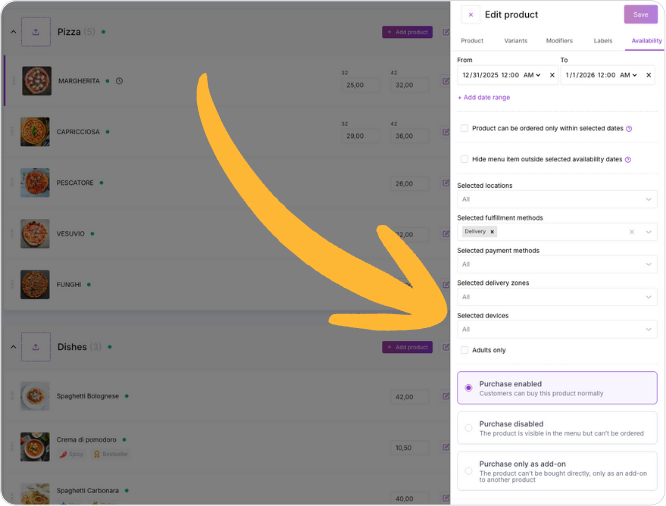
Product Availability Settings

Set exactly when, where, and how each menu item is sold.

Key features:

  • Schedule by date, day, or time β€” for seasonal items and limited-time offers.
  • Hide items completely when unavailable, or keep them visible but unorderable.
  • Limit by location, delivery zone, device (mobile vs. web), or order type (pickup, delivery, dine-in).
  • Restrict by payment method or add age restrictions (e.g., alcohol).
  • Choose how to sell each item: normally, as an add-on only, or display only.

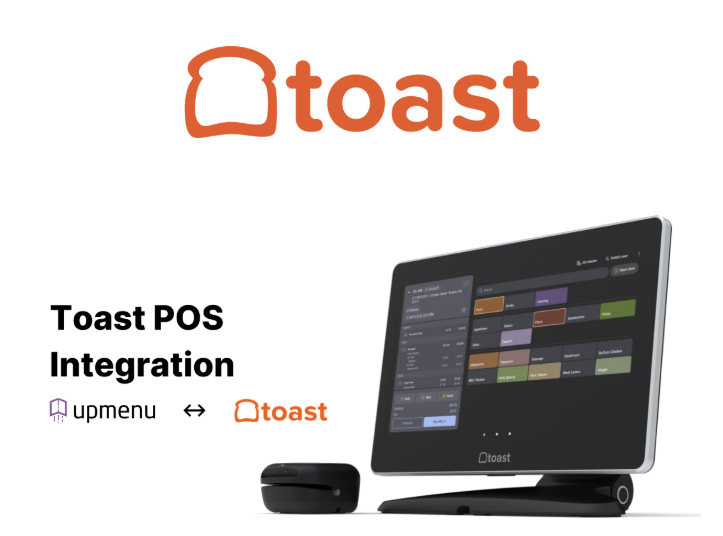
Toast POS integration

We’ve enabled a direct connection between UpMenu and Toast POS.

What you get:

  • Direct ordering on your website β€” Launch commission-free orders with UpMenu to cut marketplace fees (e.g., Uber Eats, DoorDash, Grubhub, and others).

  • All orders in one place β€” Website orders flow straight into Toast, so you accept and manage every ticket in a single system.

  • Easy menu updates β€” Sync items, prices, and modifiers from Toast to your storefront, so guests always see an up-to-date menu.

June 2025

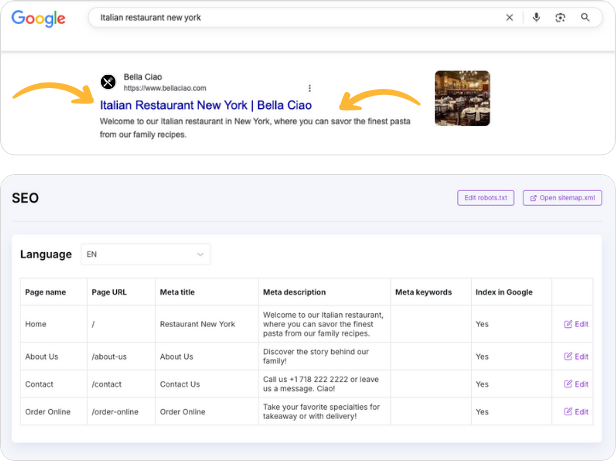
SEO Module

We’ve added an SEO module to give youβ€”and your marketing teamβ€”more control over how your restaurant appears in search engines and to help you attract more traffic and customers.

Key features:

  • Change how each page shows up on Google with simple SEO settings
  • Get found in different languages with built-in multilingual support
  • Control how your website looks when shared on social media

SUP-Compliant Packaging Options

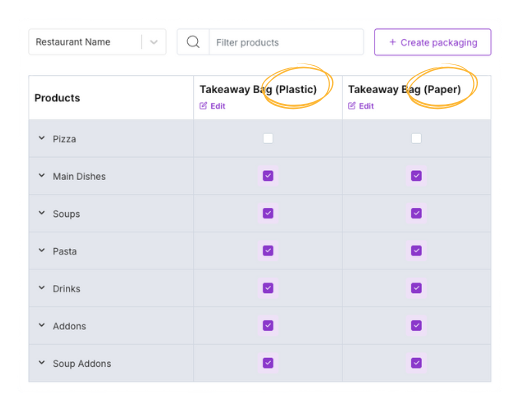
We’ve added support for alternative packaging choices to help you comply with the EU Single-Use Plastics (SUP) directive, making it easier for customers to choose eco-friendly options.

Key features:

  • Enable an alternative packaging prompt for all takeaway and delivery orders.
  • Display a clear choice between single-use plastic and eco-friendly packaging (e.g., paper, biodegradable, or reusable).
  • Group multiple packaged items in one larger container to reduce waste (e.g., pack several wrapped sandwiches in one paper bag).
  • Record customer selections to help meet documentation and compliance requirements.

Automatic Gratuity

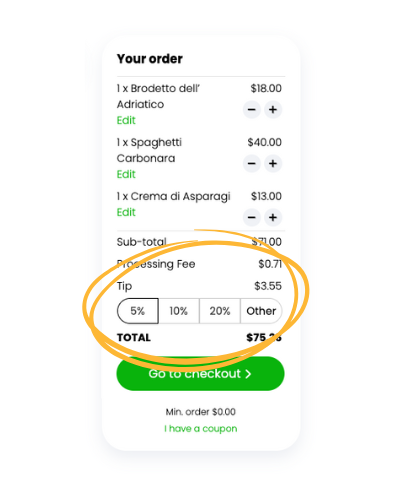
We’ve added automatic gratuity to help you boost tips and streamline paymentsβ€”no more missed tips or manual reminders.

Key features:

  • Set a minimum tip amount based on a percentage of the total order.
  • Tip is automatically applied to the orderβ€”no option to skip.
  • Customers can increase the tip or enter a custom amount (but not lower than the minimum).

May 2025

Eatabit Printers

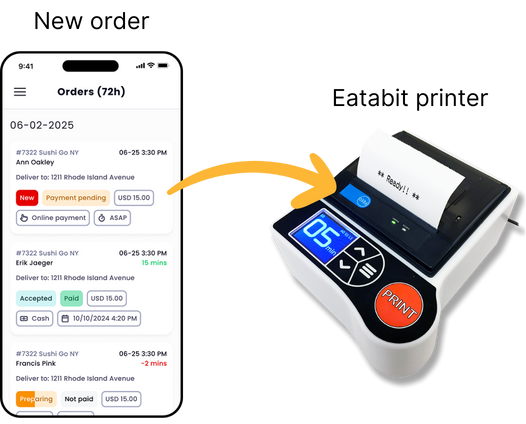
We’ve added a new integration with Eatabit printers, making it easier than ever to print orders in your restaurantβ€”automatically and reliably.

Key features:

  • Automatically print new orders from UpMenu using Eatabit printers.
  • Print all types of receipts, kitchen tickets, and driver tickets.
  • Easy setup with cloud printingβ€”no cables or tech skills needed.

Delivery Management & Driver App

We’ve released a new Delivery Management module and Driver App, allowing you to manage deliveries and drivers more efficiently from one platform.

Key features:

  • Manage all your deliveries and drivers from a single app.
  • Instantly view the status of deliveries and track driver progress in real-time.
  • Easily assign and prioritize orders to drivers for faster delivery.
  • Get suggested routes to help drivers deliver faster and reduce wait times.
  • View detailed order information, including payment and fulfillment status.

March 2025

Order Management in Mobile App

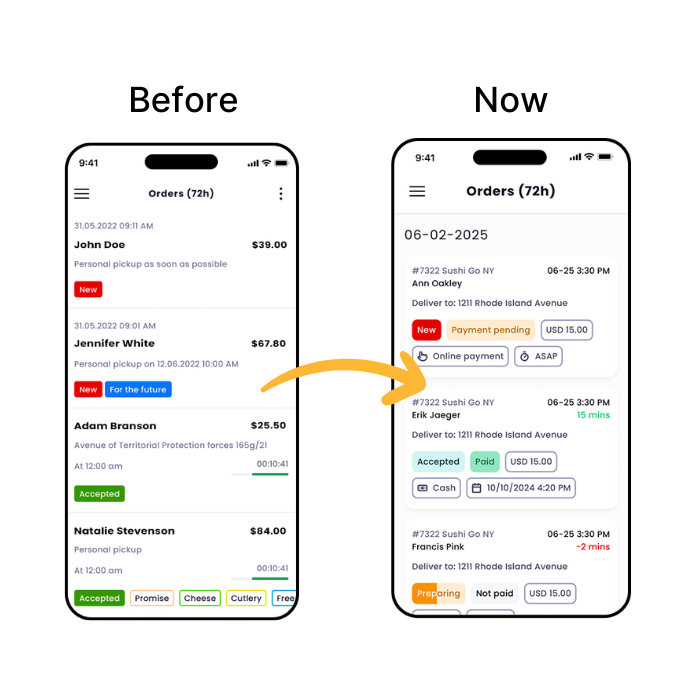
We’ve released a new version of the UpMenu mobile app (iOS, Android) featuring an improved order management view. This update provides a clearer, more structured layout, making it easier to track and manage orders at a glance.

Key Changes:

  • Orders are now grouped by date for better clarity.
  • Essential details like status, payment, and timing are more visible.
  • Clearer payment and fulfillment statuses ( “Paid,” “To Pay,” “Accepted”).
  • Easier to read labels and icons for quicker decision-making.
  • Time indicators to help prioritize actions (e.g., minutes, days).

See changes in your restaurant’s order-taking app (iOS, Android).

February 2025

Search Products in the Menu

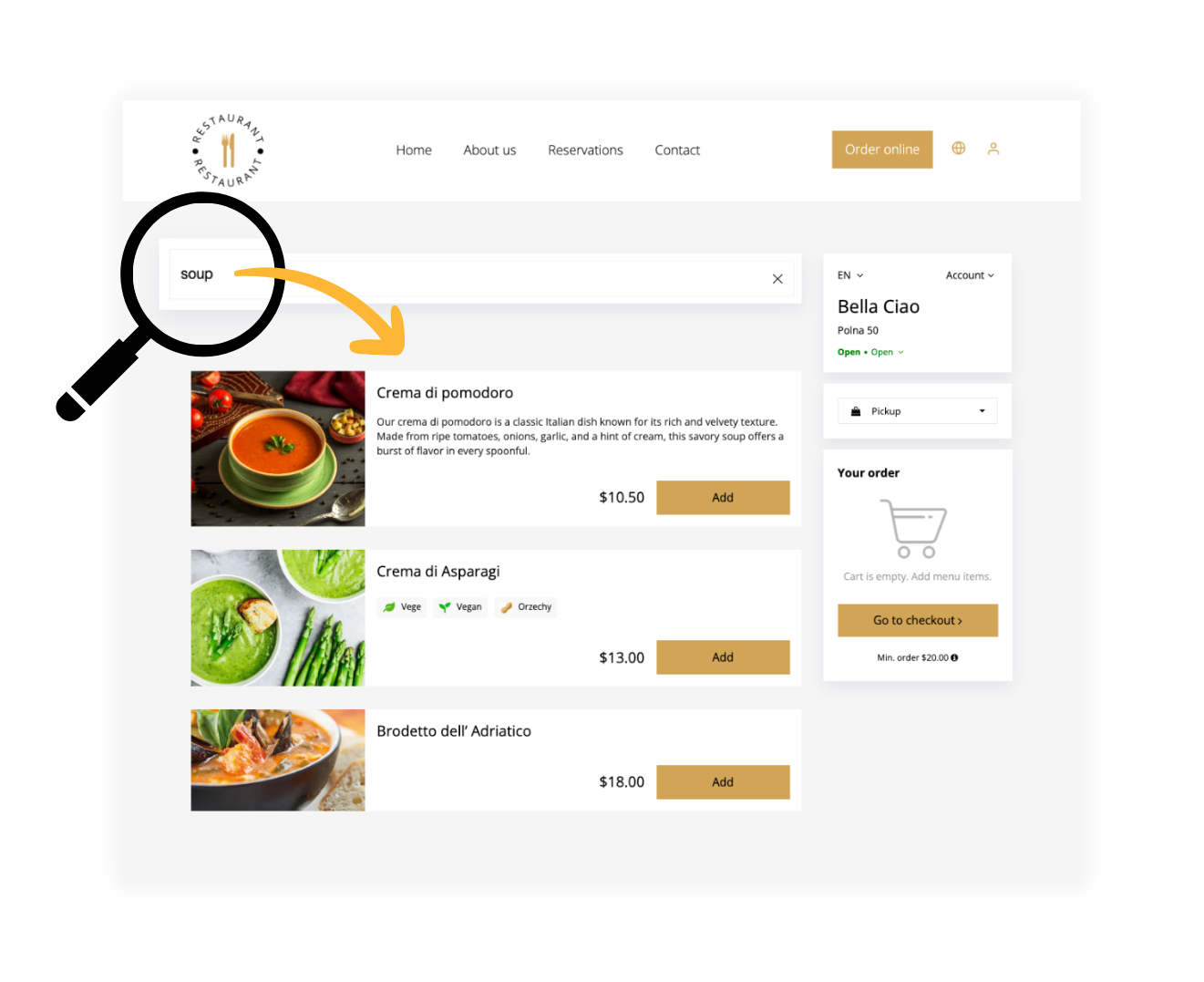
We’ve added a new feature that lets customers search the menu, making ordering easier and faster.

Usage Examples:

  • Instantly find a favorite dish by typing its name.
  • Filter menu items based on keywords like “vegan” or “spicy.”
  • Quickly locate seasonal specials or popular items without scrolling.

To see how it works, visit your restaurant’s online menu.

January 2025

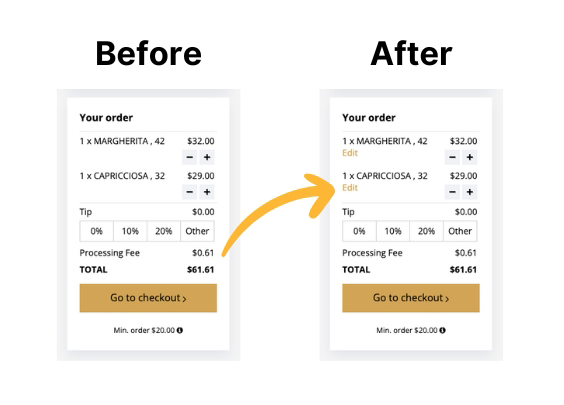
Edit Menu Items in the Cart

We’ve released a new feature that allows customers to easily edit menu items after they’ve been added to the shopping cart.

Previously, users had to remove items and add them again to make changes. This update simplifies the process and improves the ordering experience.

Usage Examples:

  • Update pizza toppings directly in the cart.
  • Adjust the number of drinks or dishes in the cart.
  • Switch sides or sauces with a few clicks before checkout.

Website Popups

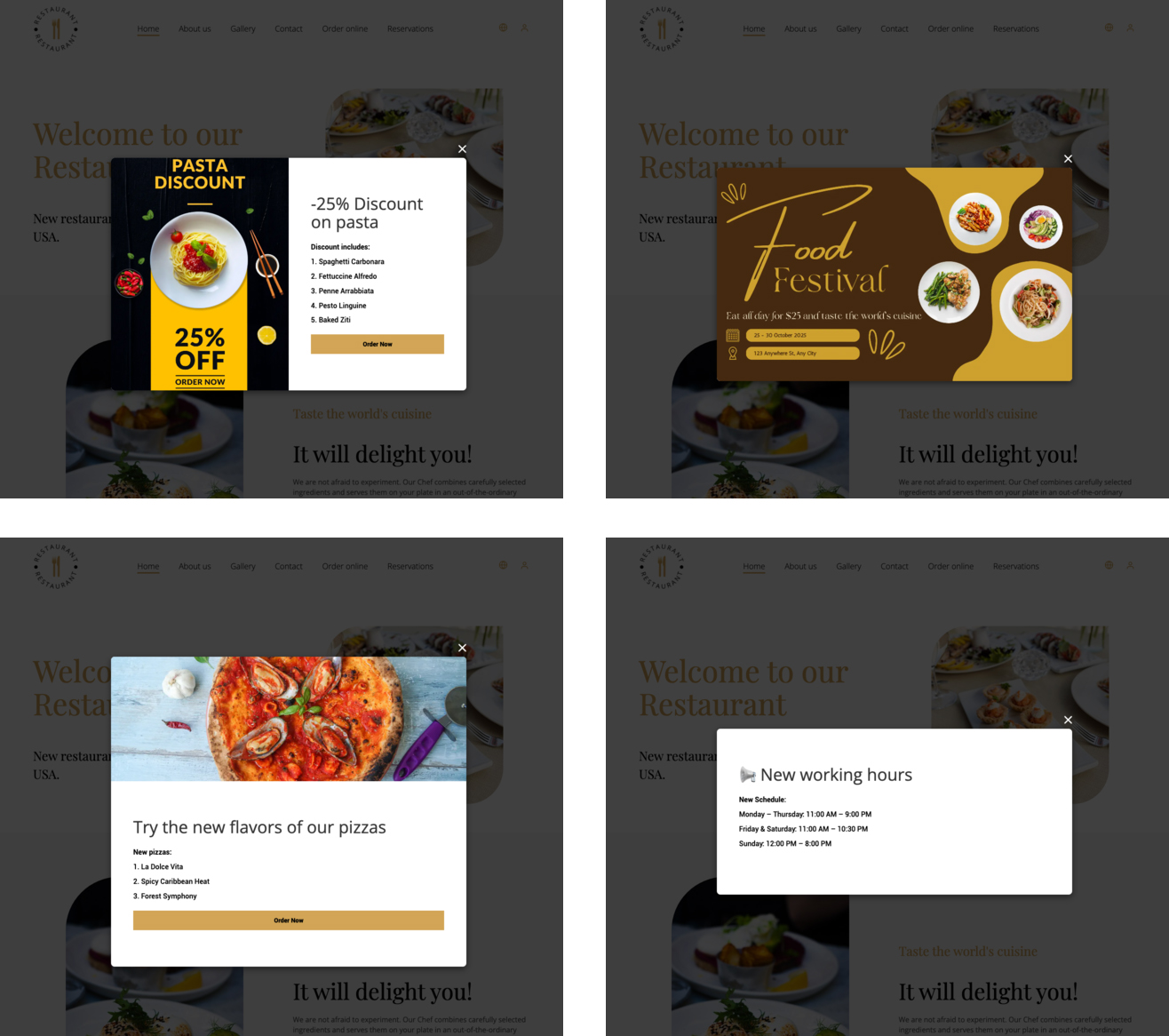
We’ve released a new module, β€œPopups”

Now, you can create eye-catching, engaging notifications on your website to communicate new menu items, promotions, events, and other important messages to your customers.

Usage Examples:

  • Promote special offers and discounts
  • Announce new menu items
  • Highlight upcoming events
  • Share updates about changes in working hours

December 2024

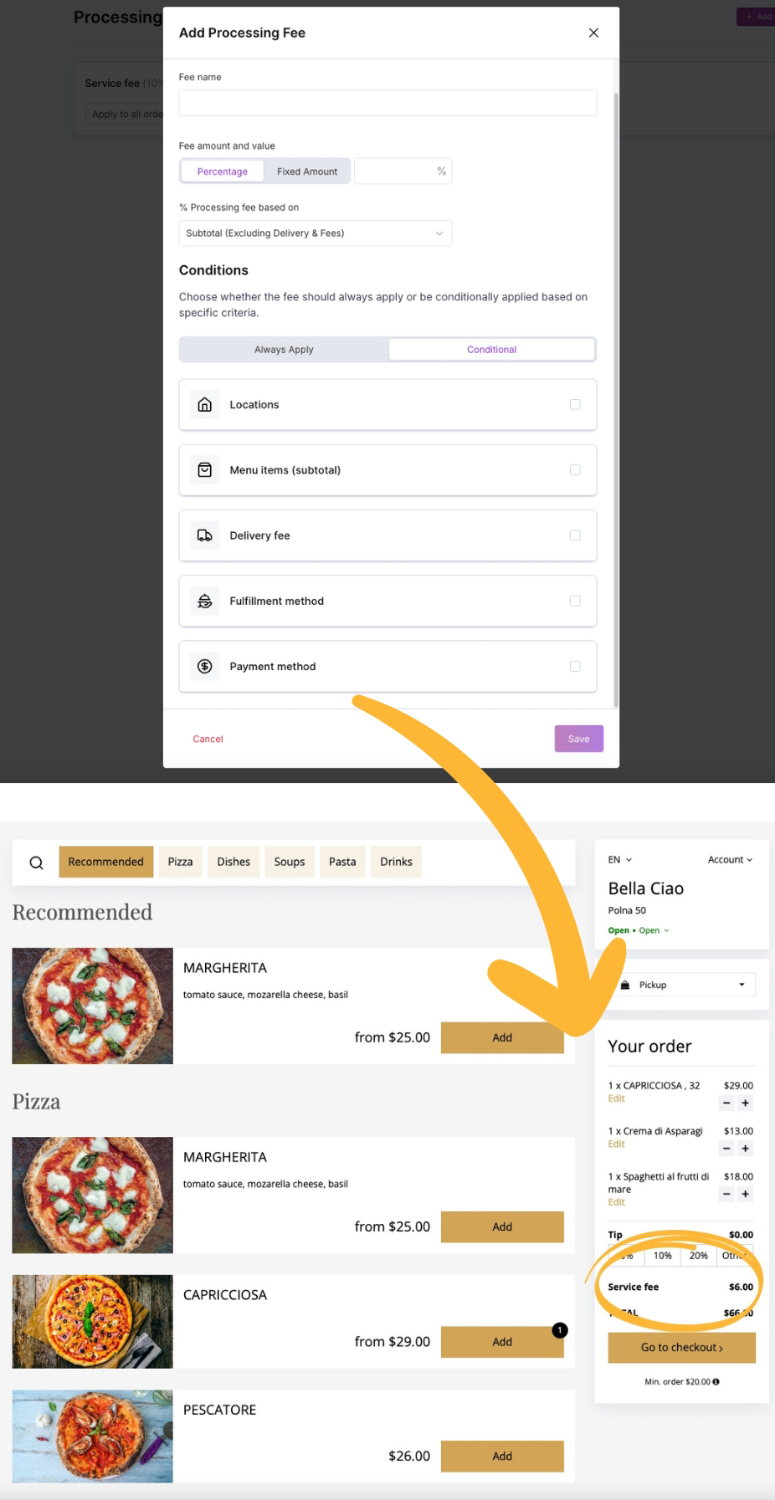
Processing Fees

This feature allows you to add custom percentage-based or fixed-amount fees to your online orders, based on:

  • Fulfillment types: delivery, takeaway, dine-in
  • Payment methods: cash, credit card, online payment
  • Menu items or delivery cost
  • Location: (ideal for restaurant chains)

Usage Examples:

  • Charge a 3% service fee for credit card payments to cover processing costs.
  • Add an extra $10 delivery fee for orders below a certain value.
  • Apply a $10 flat fee for packaging materials.
  • Charge a 20% dine-in service fee for orders above a specific value.
  • Apply location-specific fees to reflect regional pricing differences.

May 2024

New system architecture

More intuitive navigation and easier access to key features. To explore it: go to your Dashboard and switch to the new panel.

  • Navigation bar moved to the bottom left for better readability on all screen sizes. Locations are now under Settings, and sections spanning multiple locations use drop-down menus β€” saving space and easing navigation.
  • Main navigation bar reorganized β€” all reservation settings are under Reservations, all online ordering settings under Online ordering.
  • New “Need help?” button β€” find info about the current page or contact support.

Glovo On-Demand Delivery Integration

The integration allows you to sell your food directly from the UpMenu online ordering system and deliver it to your customers using Glovo on-demand delivery.

Six New Languages

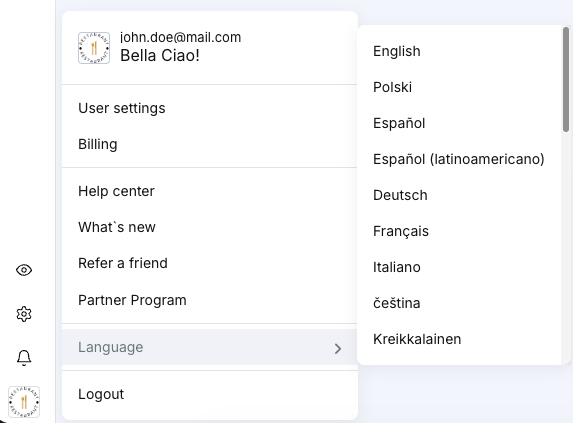
The UpMenu system is now available in six new languages: German, French, Italian, Swedish, Norwegian, and Bulgarian.

Customers can now order online in any of the above languages, both from your website and your mobile app. The change should also make navigating the system easier for you and your staff.

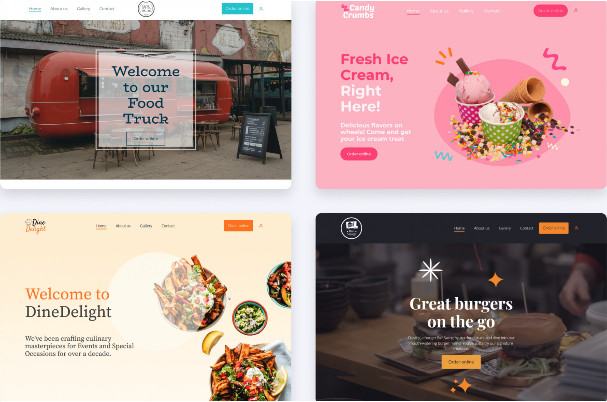
8 New Website Templates

We’re introducing eight new templates for:

  • Fast-food restaurants
  • Food trucks  
  • Ice cream shops 
  • Casual dining restaurants

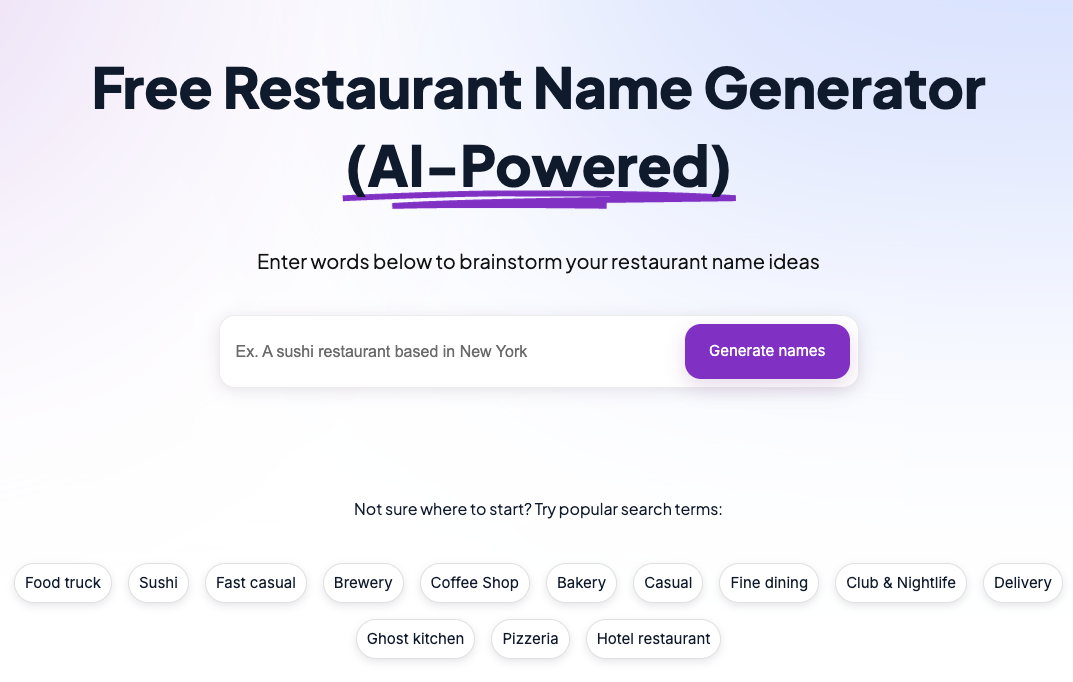
AI Restaurant Name Generator

New restaurant owners can now generate their restaurant names using an AI-based restaurant name generator.

January 2024

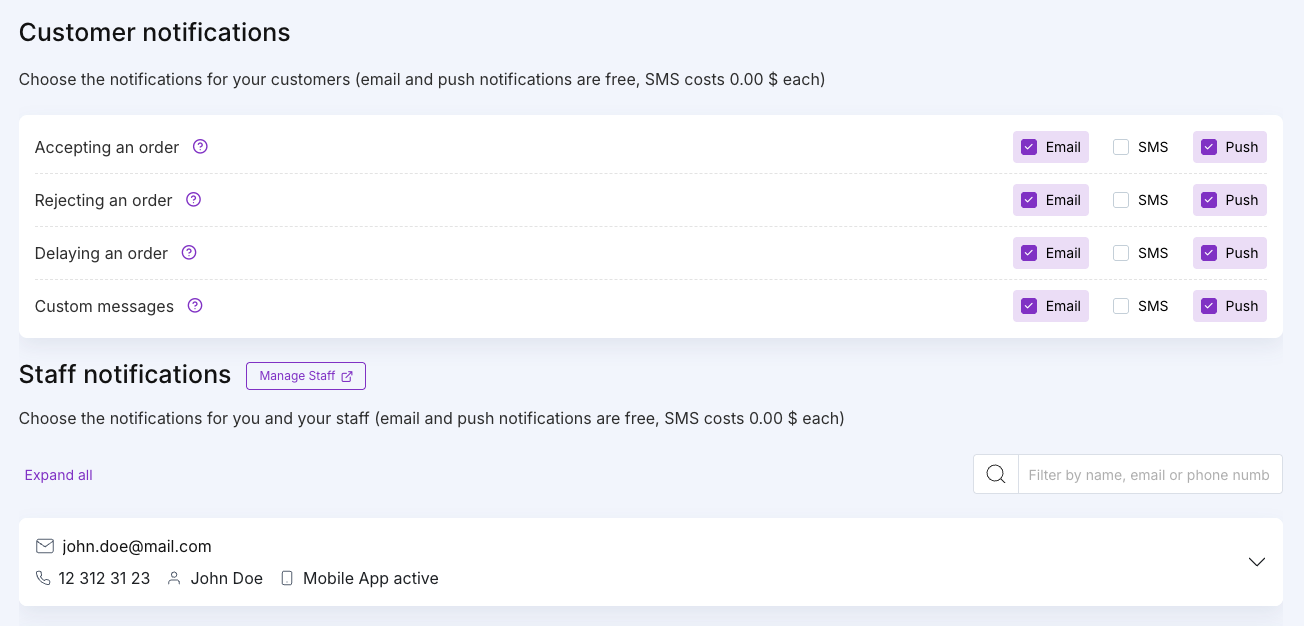
New Customer and Staff Notification Options

Before the change, you could only select whether you wish to send SMS or Email notifications. Now you can also choose when to use and when not to use push notifications on mobile app. This change is applicable to both customer and staff notifications.

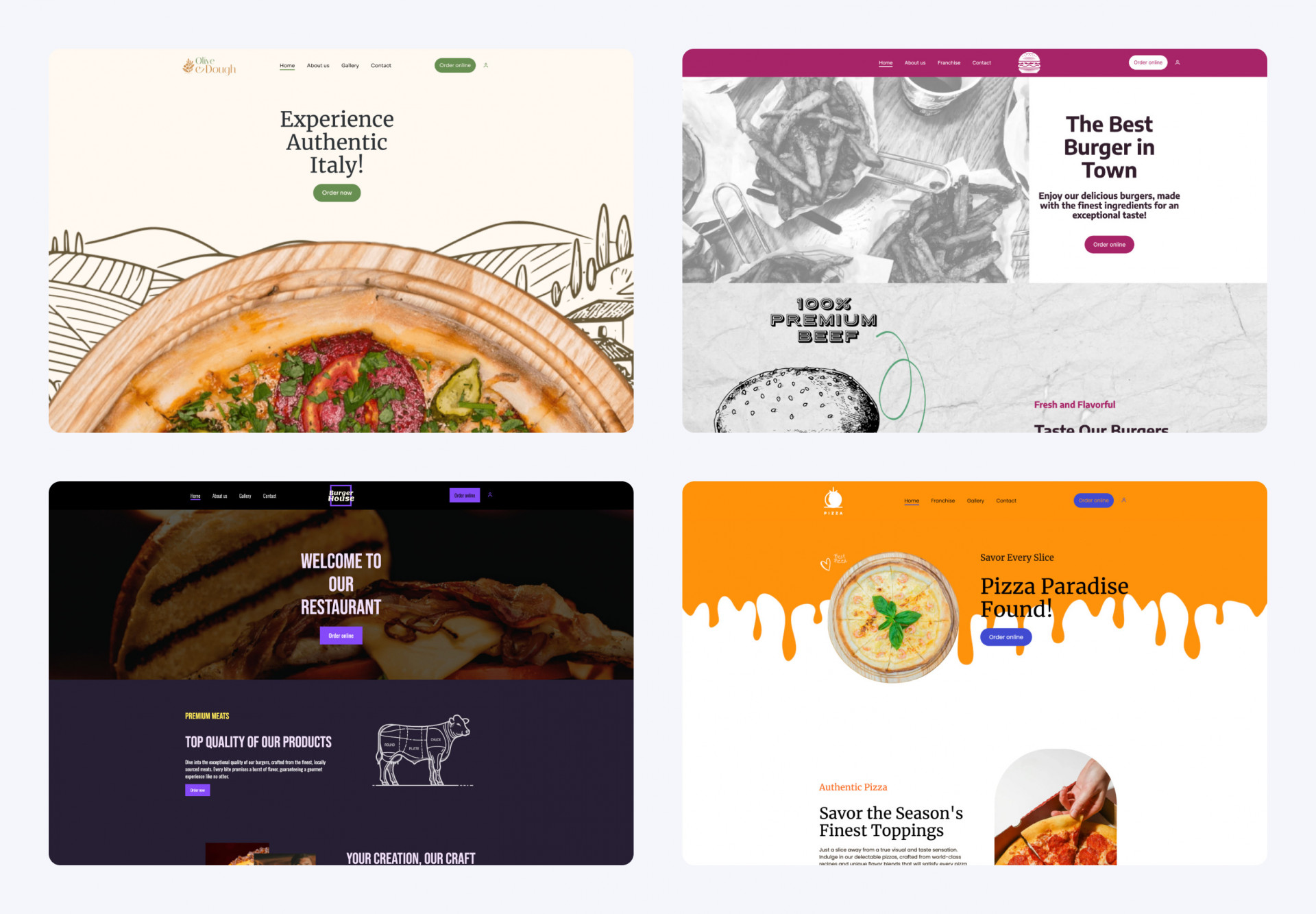
4 New Website Templates

We’re introducing four new templates for:

  • Fast food templates
  • Pizza shop templates

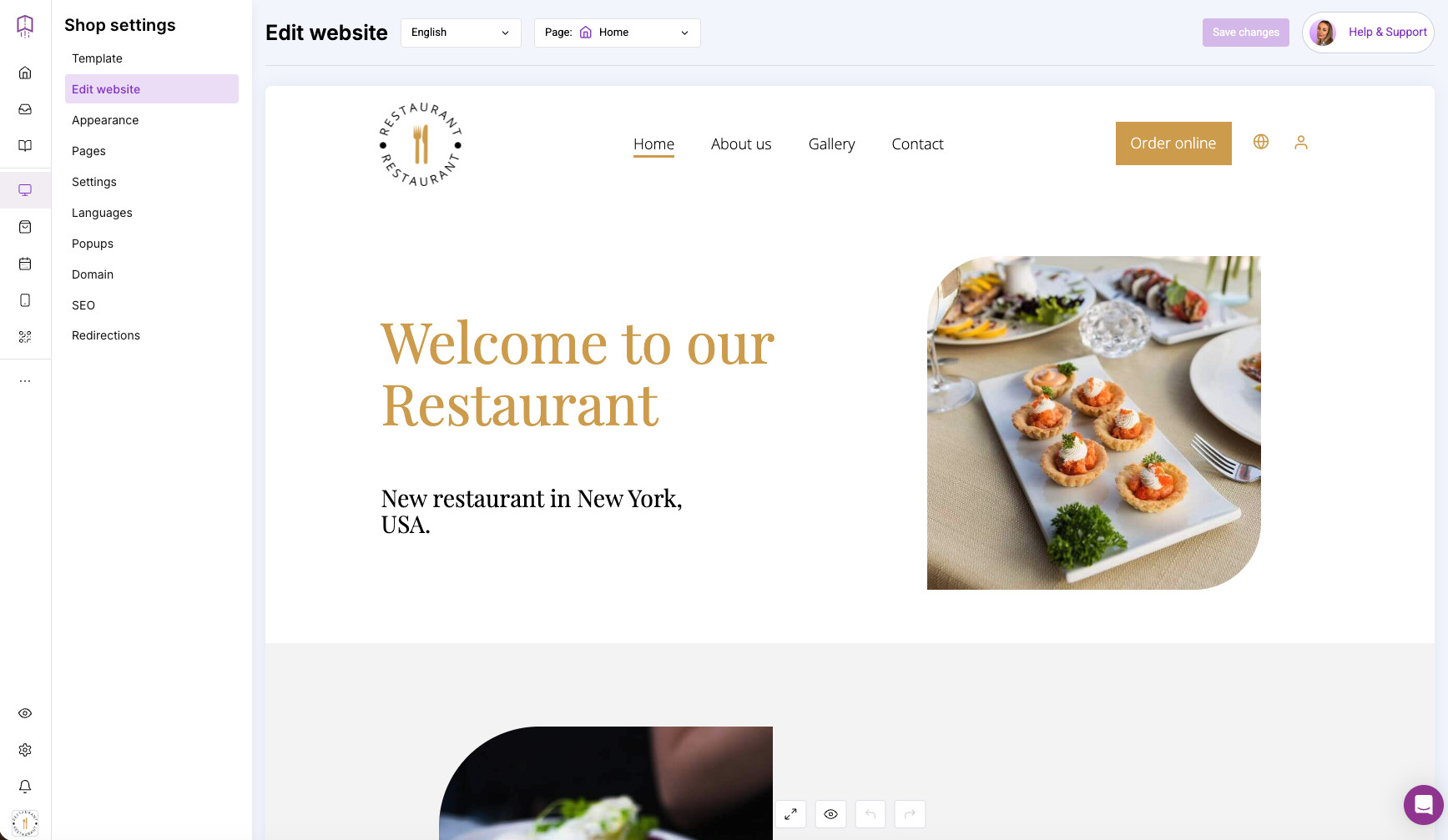
Drag&drop website editor improved

You can now link your restaurant’s phone number and email address within the text on your website. 

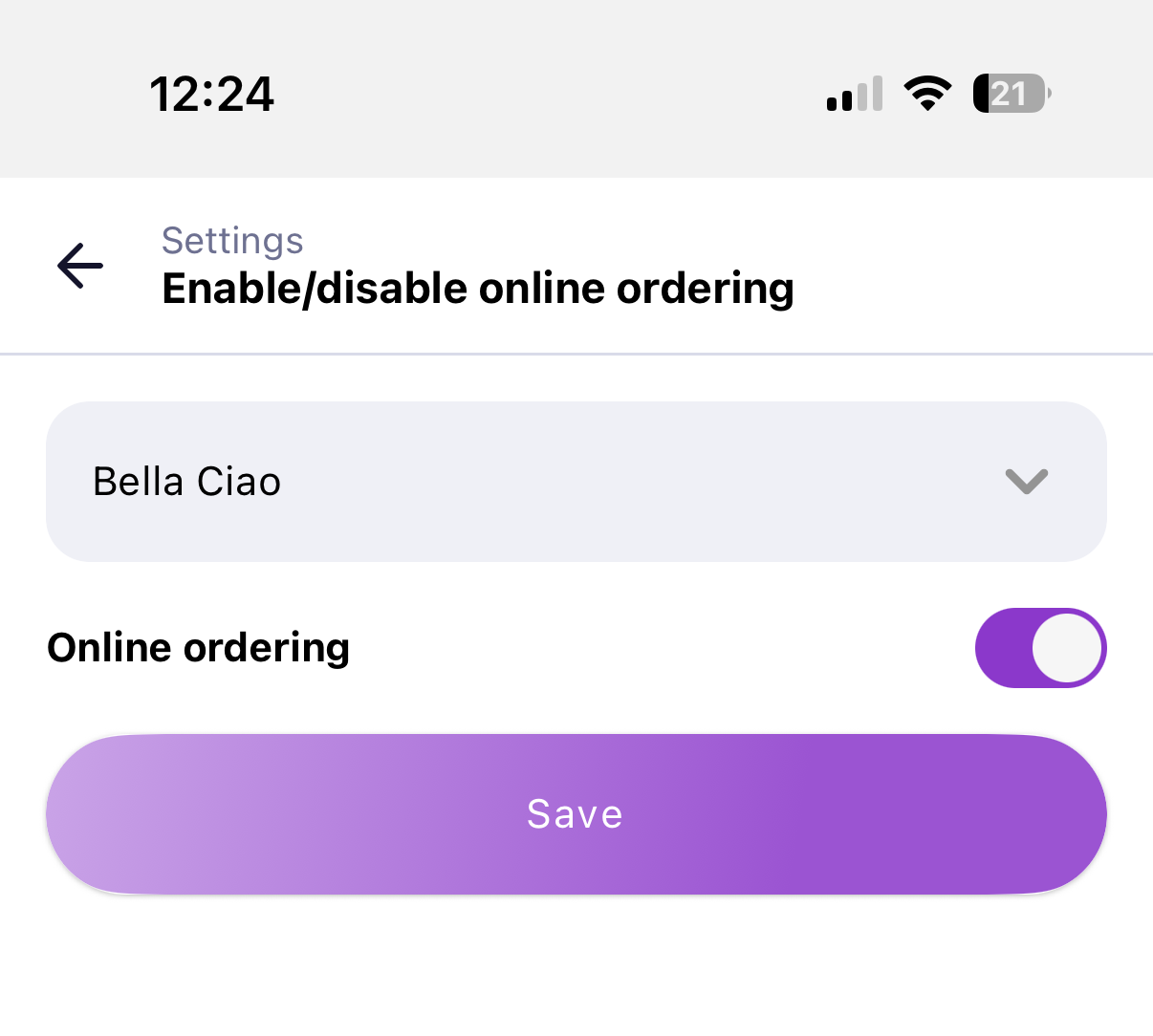
Switch Online Orders On/Off from Mobile App

You can now turn online ordering on and off right from your mobile app. 

It can be a useful backup feature if your desktop computer breaks down or if your systems are overwhelmed during a holiday and you need to quickly close orders for the day.

December 2023

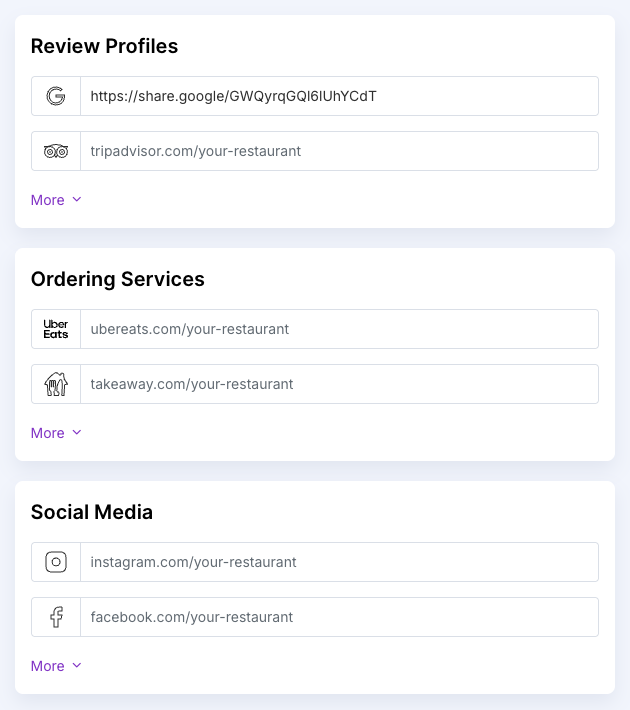
Social Media Links Module

We have updated the “Online channels tab. Now, you can add links to the most popular services:

    • Social media: Facebook, Instagram, X (Twitter), YouTube, TikTok.
    • Review websites: Google, TripAdvisor, Yelp.
    • Ordering services: UberEats, Takeaway.com, DoorDash.

    Make sure to add links to all platforms. That way, you can gather more online reviews and make your social media channels and ordering services easily accessible to your customers.

    4 New Website Templates

    We’re introducing new templates for four restaurant types:

    • Fast-food restaurants
    • Food trucks  
    • Ice cream shops 
    • Casual dining restaurants

    November 2023

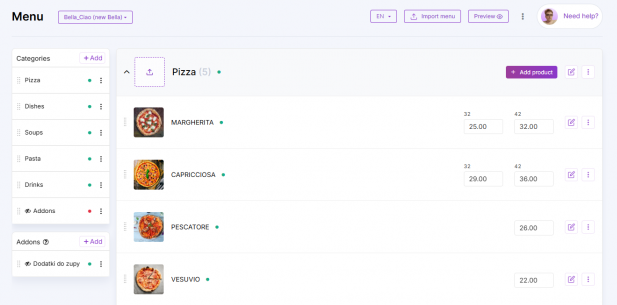
    New Menu Editor

    We’ve made editing and optimizing your online menu more intuitive. We’ve updated the user interface so that your work is as clear and simple as possible. You still have access to all the features that you did before.

    New Delivery Zones Module

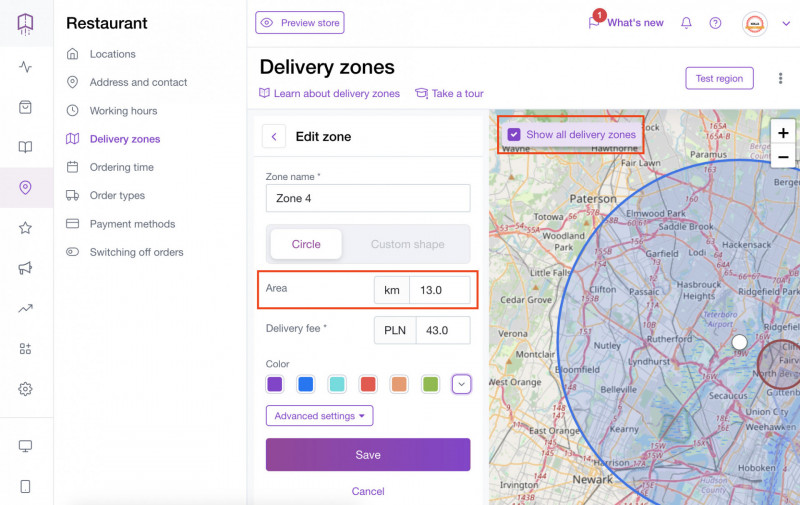
    You can now hide the zones you do not wish to edit so that you have a clearer view of the ones you are currently editing. We’ve also refreshed the user interface so that it is clearer and more intuitive.

    Importantly, you can now check the radius of your delivery zone at any time. You can also select or deselect each delivery zone, making it easier to modify zones.

    Better Onboarding Guides

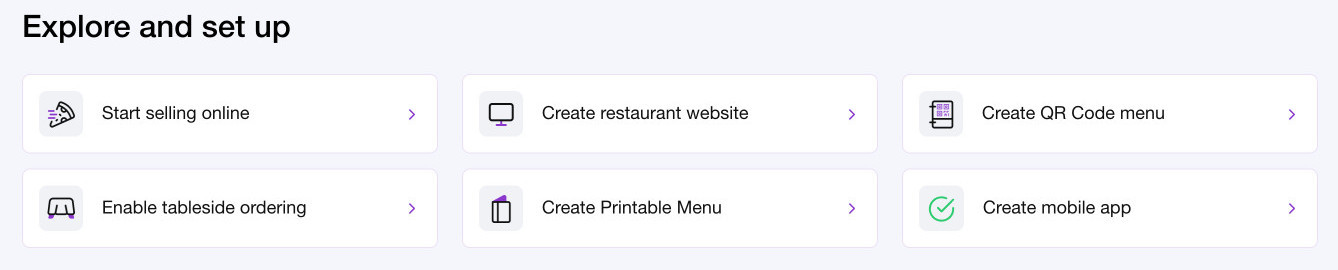
    Your onboarding just became much more intuitive. We’ve created separate categories, each of which includes steps for you to follow depending on your needs.

    • Enable tableside ordering
    • Start selling online
    • Create restaurant website
    • Create QR code menu
    • Create printable menu
    • Create mobile app

    New Version of the WordPress Plugin

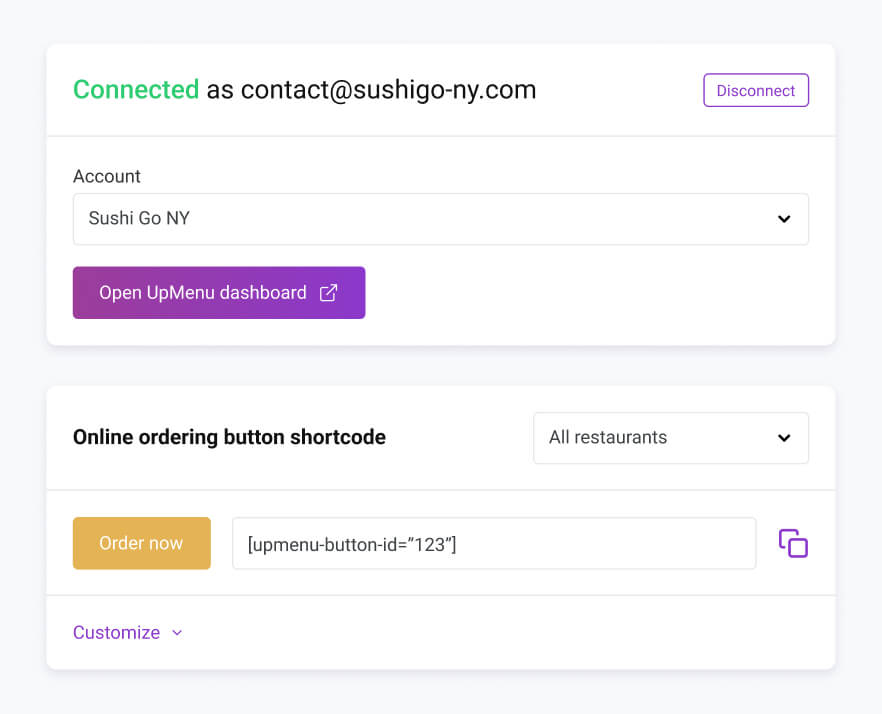
    This change is aimed at customers using their WordPress websites outside the UpMenu system.

    Previously, you had to manually copy and paste your UpMenu account ID. Now, the system automatically fetches restaurant and venue details. 

    Better Order Notifications

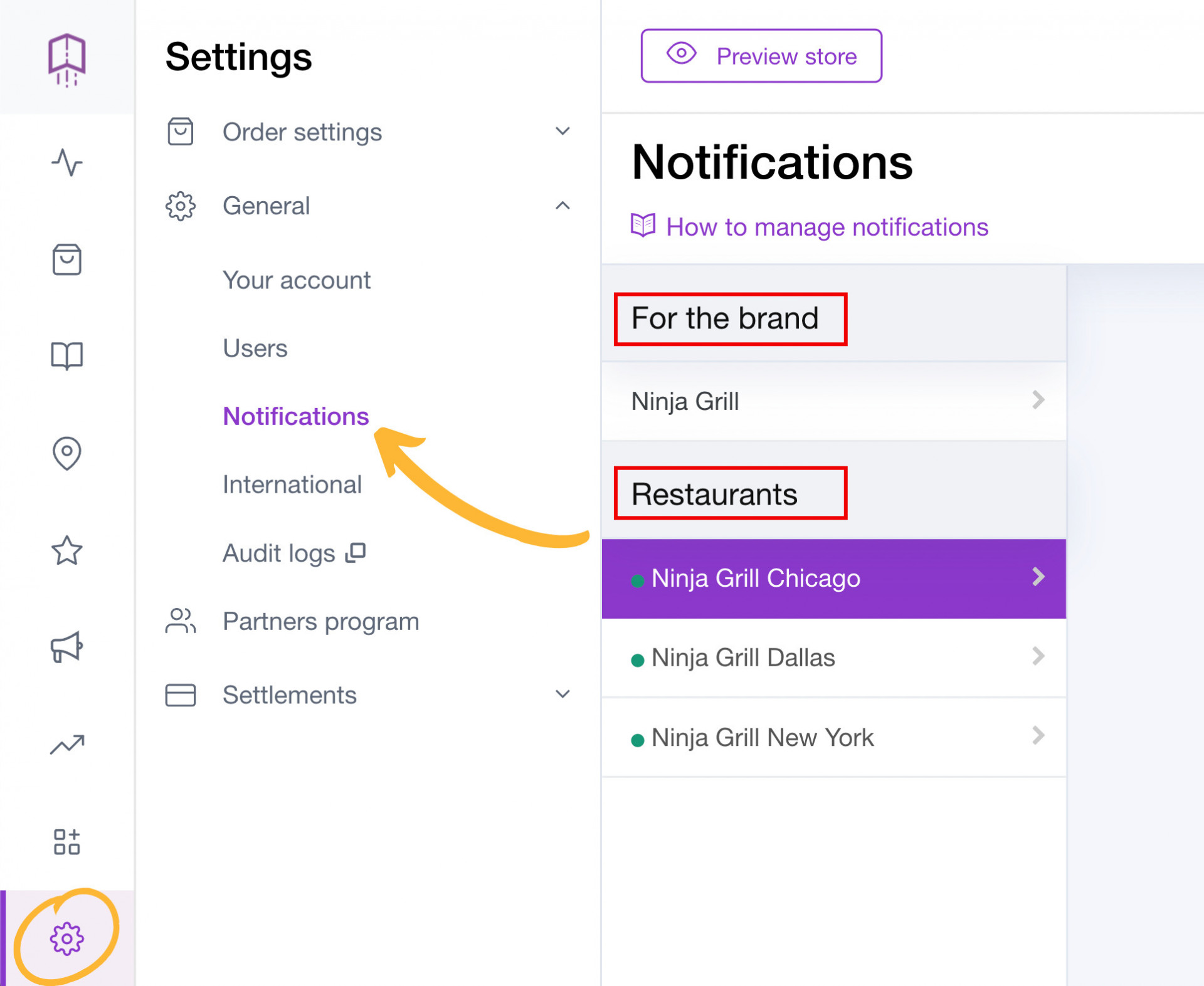
    We’re adding another widely requested change that will allow you to control your notifications separately on different devices. 

    You will find this change particularly helpful if you own a chain of restaurants or work on multiple devices. You can now control the notifications for all locations and devices separately.

    We’re also moving the sound notification options to the”Orders & Bookings” tab and adding extra notification sounds to help you differentiate between different types of events.  

    October 2023

    One-Click Website Template Swap

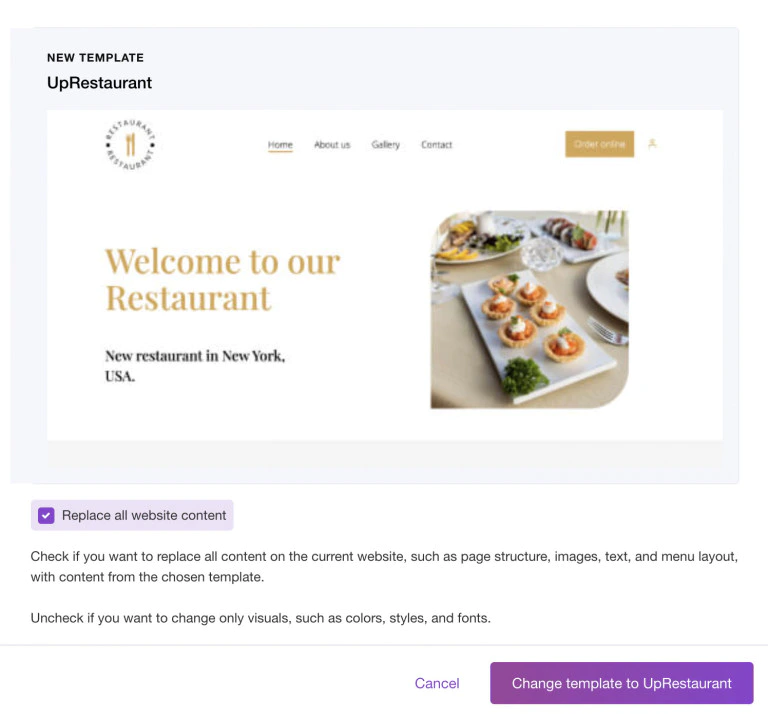
    You can now change the template of your restaurant website without losing any data. Before we introduced this change, each time you’d change the template, you’d have to re-arrange and re-write all of the website copy.

    New Report - Online Payments Payouts

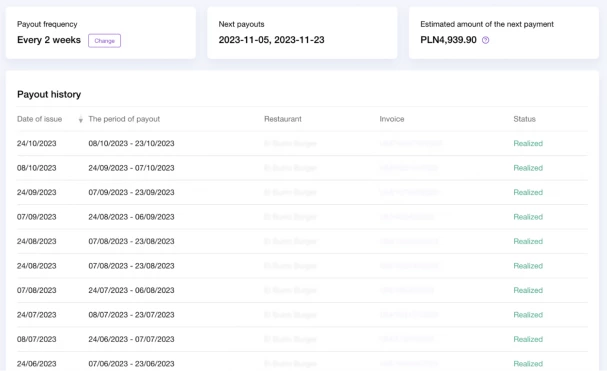
    Polish UpMenu users can now access more data regarding their estimated payout for a given period as well as all of their payout history.

    This feature is available exclusively to customers who use PayU integration with set-offs enabled. The report shows the history of set-off payments to customers and provides all the information about the next payout.

    Real-Time Brand Name and Logo Updates

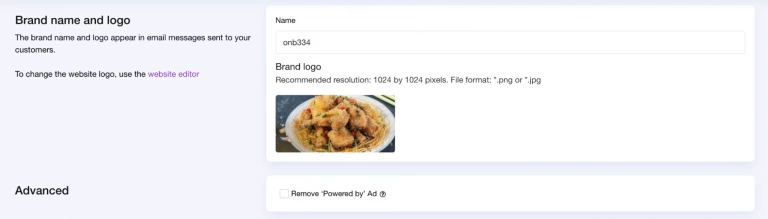
    You can now change your brand name and logo in real-time. It will be changed and made visible to your customers immediately.

    September 2023

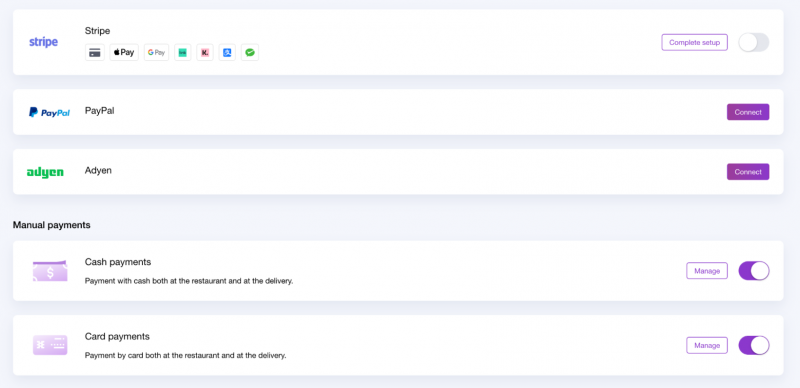
    Multiple Payment Options for Your Customers

    You can now change your brand name and logo in real-time. It will be changed and made visible to your customers immediately.

    Improved Subscription Summary

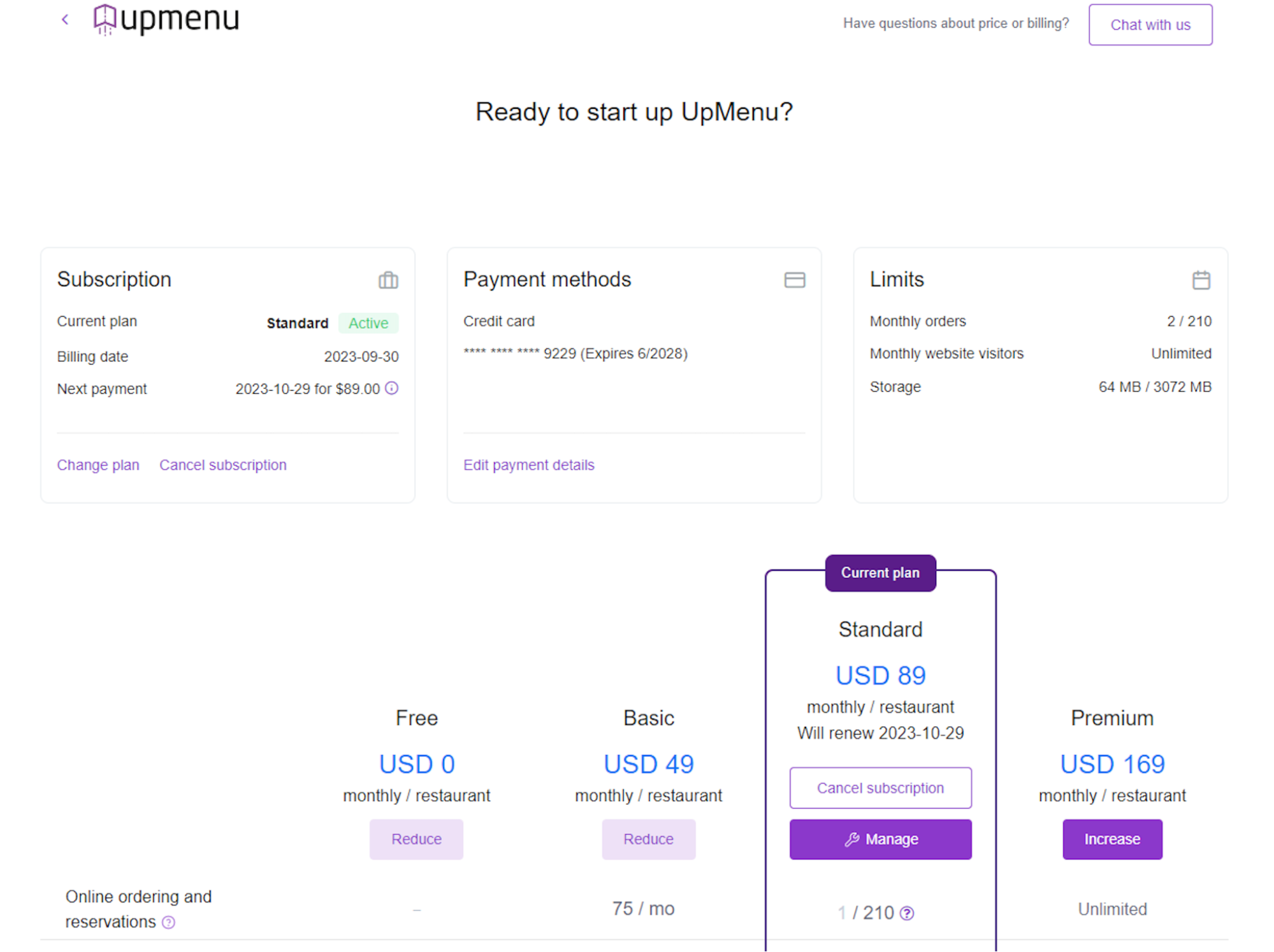
    You can find all the information about your plan’s status, billing, and payment dates, as well as your monthly payment fee, in the Plans section in the user’s panel.

    It’s a minor fix that we hope will help you stay on top of your finances.

    August 2023

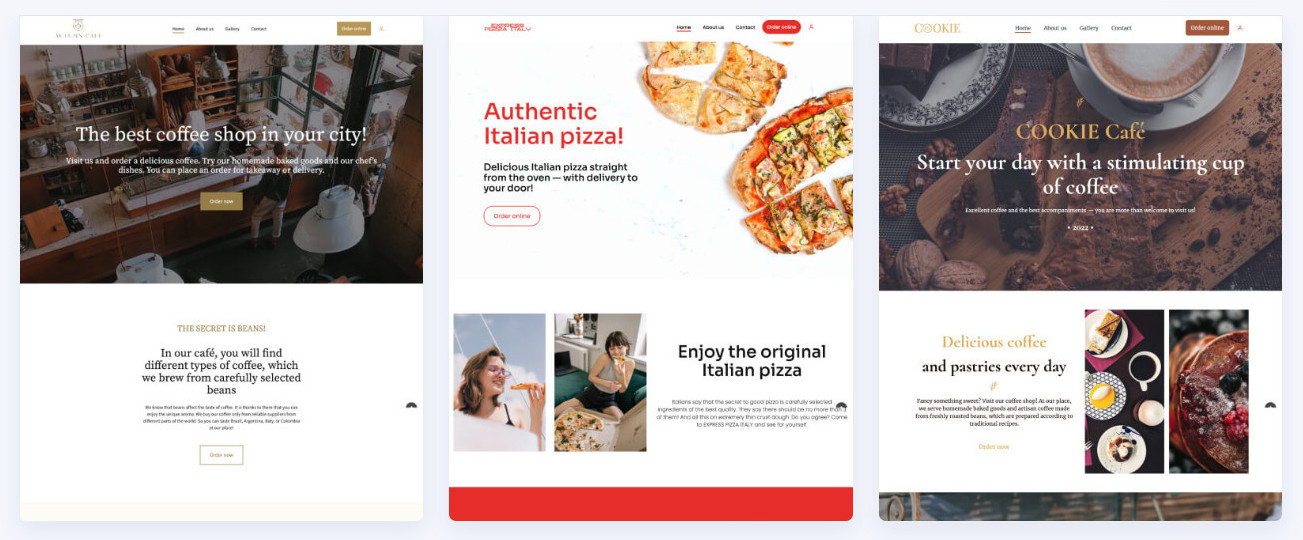
    New Free Website Templates

    We understand that the user experience is an important factor when trying to convert visitors into customers.

    We’re making sure that we can continue delivering the highest-quality website templates so that your restaurant looks up-to-date. This time, we’ve prepared 4 new templates for you to work with.

    Restaurant Open/Closed Status Added

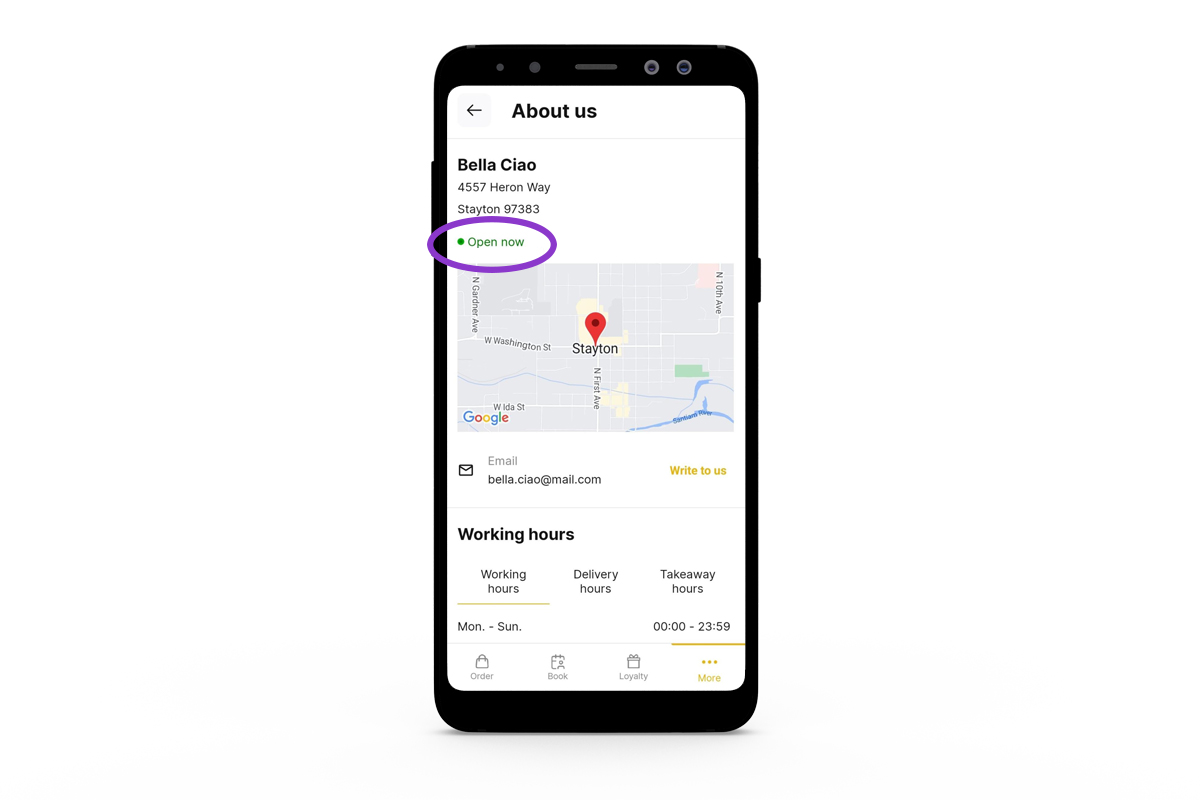
    The new status view will provide your customers with straightforward information about whether your restaurant is currently open or closed.

    Before the change took place, there would be information about opening and closing hours. Now, in addition to that information, there will be an open/closed status shown in green or red, respectively.

    Simplified Way for Installing UpMenu on Your Domain

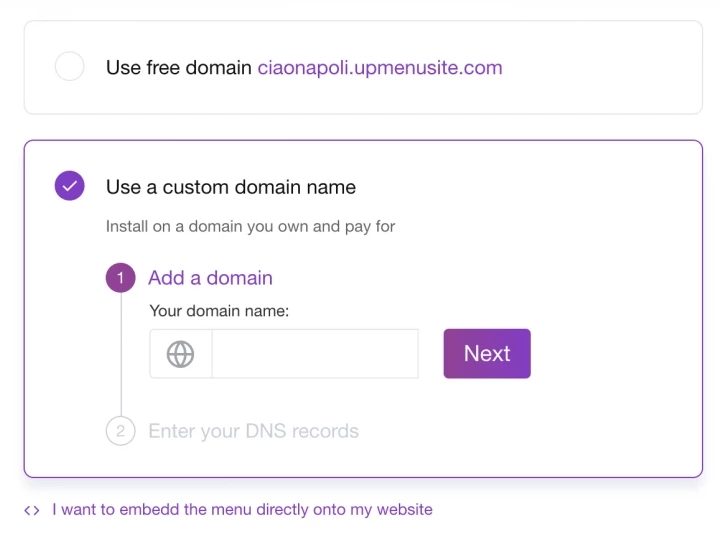
    We’ve made a few tweaks and moved the entire process to a single “Domain” tab. Whether you’re looking to add a custom domain or embed the menu in your website’s code, you can access all options from a single screen.

    July 2023

    New Mobile App for Restaurants

    We’re constantly working to improve the UpMenu mobile app. In case you missed it, we’ve re-designed the entire app to make it look better and more intuitive for your customers to order food directly from your restaurant.

    The changes are purely visual, so there is no need to worry about a potential drop in user experience. Your customers are getting the app they were used to with a fresh, modern look.

    Wolt Delivery Integration

     You can now use the latest Wolt delivery integration to have Wolt deliver the orders directly to your customers. It’s a huge development for all the restaurant owners who don’t have their own delivery service.

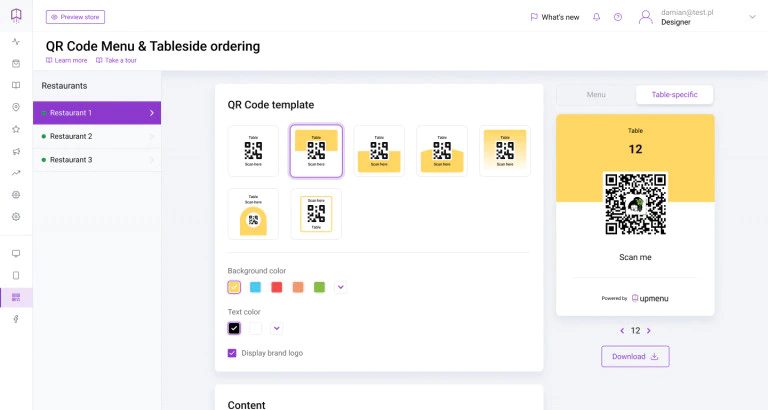
    Improved QR Code Menu

    Customize your QR code menu on a whole different level. The changes might not be rocket science, but it’s something a lot of users have been asking for.

    You can now change the colors of your QR code menu to match your branding. You can also make your menu even more unique by uploading your logo.

    Ready to grow your restaurant business? πŸš€

    Ready to take the next step for your restaurant business?
    Schedule a Demo Today! πŸš€