
Talk to sales Contact Login English

How to Make a Food Delivery App for a Restaurant in 2026 (9 Steps)

Contents

You can build a branded food delivery app for your restaurant in about an hour using a no-code restaurant app builder (from $49/month) — or commission a custom build from a software development company for $15,000–$30,000.

This guide walks you through both routes in 9 simple steps, with real screenshots from the builder, and shows why owning your app beats paying Uber Eats 15–30% on every order.

Key Takeaways

  • Two ways to build: a no-code restaurant app builder (from $49/month) or a custom build from a development company ($15,000–$30,000).
  • Skip 15–30% commissions: a branded app means no per-order fees to Uber Eats or DoorDash.
  • Own your customer data: collect contact details and order history to run your own marketing.
  • Must-have features: online ordering, real-time tracking, secure payments, push notifications, and a loyalty program.
  • Branded experience: your logo, colors, and rewards — fully integrated with your POS and website.

How Does a Delivery App Work?

A food delivery app connects three parties — the customer, the restaurant, and the delivery driver — in seven steps: the customer browses the menu and places an order, the restaurant receives and prepares it, a nearby driver is assigned, picks up the food, delivers it with live tracking, and payment plus rating are processed at the end.

Here’s a simplified breakdown showing how food delivery apps work.

  1. Customer Browsing: The customer opens the app, browses the available restaurants or food options, and selects items to add to their cart.
  2. Order Placement: Once the customer finalizes their order, they proceed to checkout, where they provide delivery details, select payment methods, and place the order.
  3. Restaurant Notification: The restaurant receives the order in real time, prepares the food, and notifies the delivery driver when it’s ready.
  4. Driver Assignment: The app assigns a nearby delivery driver (or the customer can select their preferred driver) based on location and availability.
  5. Food Pickup: The delivery driver picks up the food from the restaurant and follows the app’s navigation to deliver it to the customer’s specified location.
  6. Tracking: Both the customer and restaurant can track the delivery in real time via the app, allowing for updates on the delivery’s status.
  7. Delivery & Payment: Once the food is delivered, the app processes payment, which typically includes the food price, a delivery fee, and a tip for the driver.
  8. Feedback/Rating: After the delivery, customers can rate the food and service, providing valuable feedback for both the restaurant and the delivery driver.

Why Your Restaurant Needs a Branded Food Delivery App

If delivery apps like Uber Eats already exist, then why do restaurants need their own branded food delivery applications?

Restaurants build their own branded food delivery app to avoid the 15–30% commission that platforms like Uber Eats and DoorDash charge on every order, to own their customer data, and to control the entire experience from order to delivery.

Third-party apps own the customer relationship; a branded app keeps it — along with the margin.
In the article on Uber Eats commissions, I compared Uber Eats’ fees and features with those of other food delivery apps in the restaurant industry.

Unlike third-party food delivery services like Uber Eats, a branded food ordering app gives you access to your customers’ data, allows you to update order status, control everything up to the delivery process, and lets you run marketing activities independently. This increases revenue and improves the restaurant customer experience.

Below, I’ve created a table comparing using a third-party app (like Uber Eats) vs. your branded app (like UpMenu).

Feature Third-Party App (Uber Eats) Your Own Branded App (UpMenu)
Branding Platform's brand Your brand
Customer data Owned by the platform Owned by you
Pricing 15–30% commission per order Flat monthly fee, no commission
Marketing Controlled by platform You run it directly
Commissions source: Uber Eats Pricing

Third-party online food delivery apps like Uber Eats charge a delivery fee for the delivery agent and a 15% to 30% commission fee on each order. This doesn’t include payment processing and marketing fees.

With your custom on-demand delivery app, you simply pay the delivery person. The rest of the money you make goes right into your pocket.

How to Make a Food Delivery App in 9 Steps
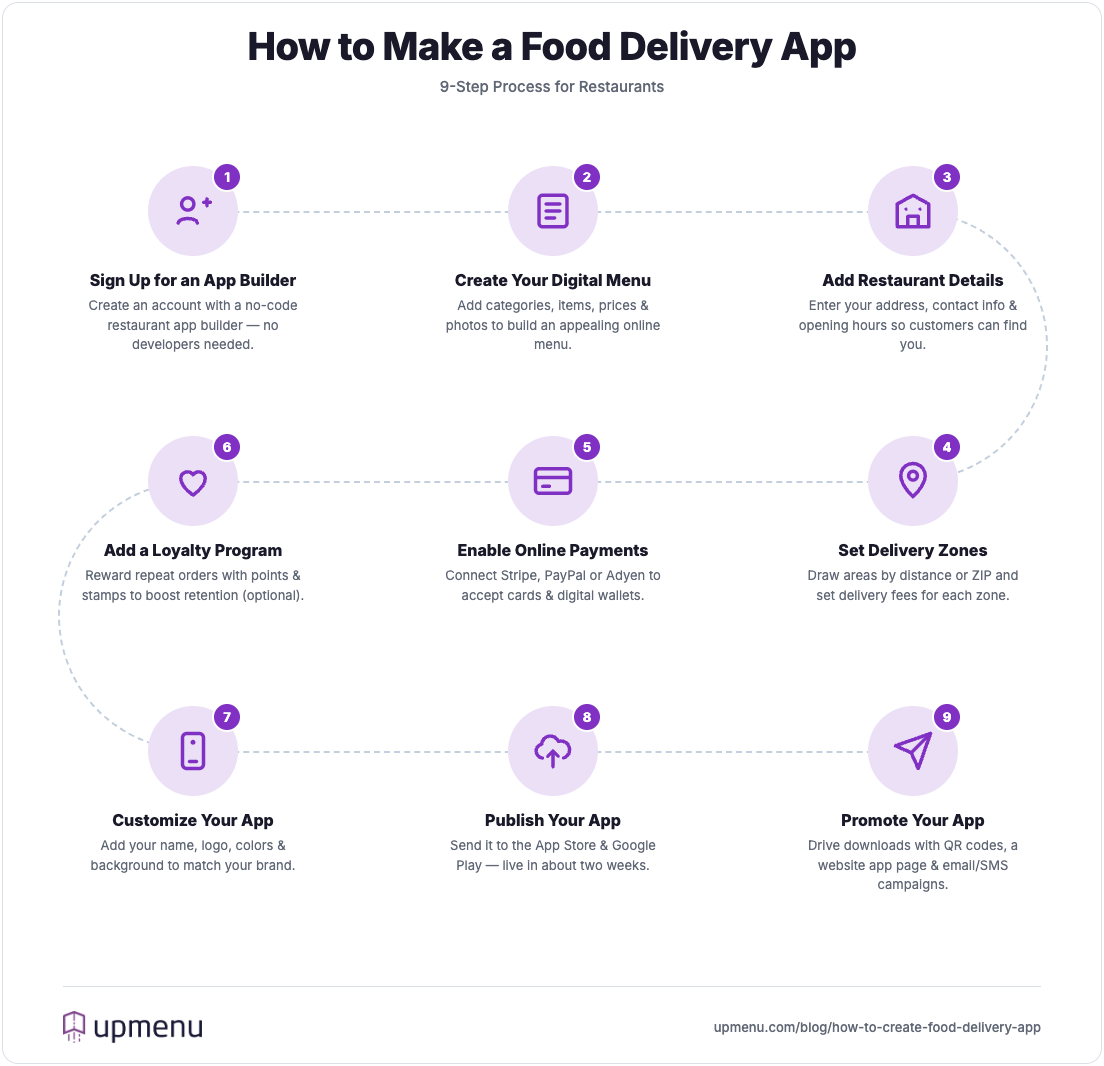
9 steps to make a food delivery app for a restaurant

If you’re running a restaurant and wondering how to create your own food delivery app, I’ve outlined the process in a few simple steps below.

Step 1: Register for a Restaurant App Builder

Create an UpMenu account to get started. UpMenu is an easy-to-use restaurant app builder that offers customizable options to help you create an impressive app without coding.

Once you’ve signed up to UpMenu, input your information and go through the onboarding process.

Step 2: Create your Digital Menu

Select the Menus icon from the panel to create your online menu.

Begin by creating menu categories and adding items to each category. For every menu item, include its name, description, and price.

Take clear, well-lit photos of each item and upload them for each dish to make the menu more visually appealing and enticing to customers

Remember to group your menu items into menu categories, making viewing the online menu quick and easy for your clients on both the website and the app.
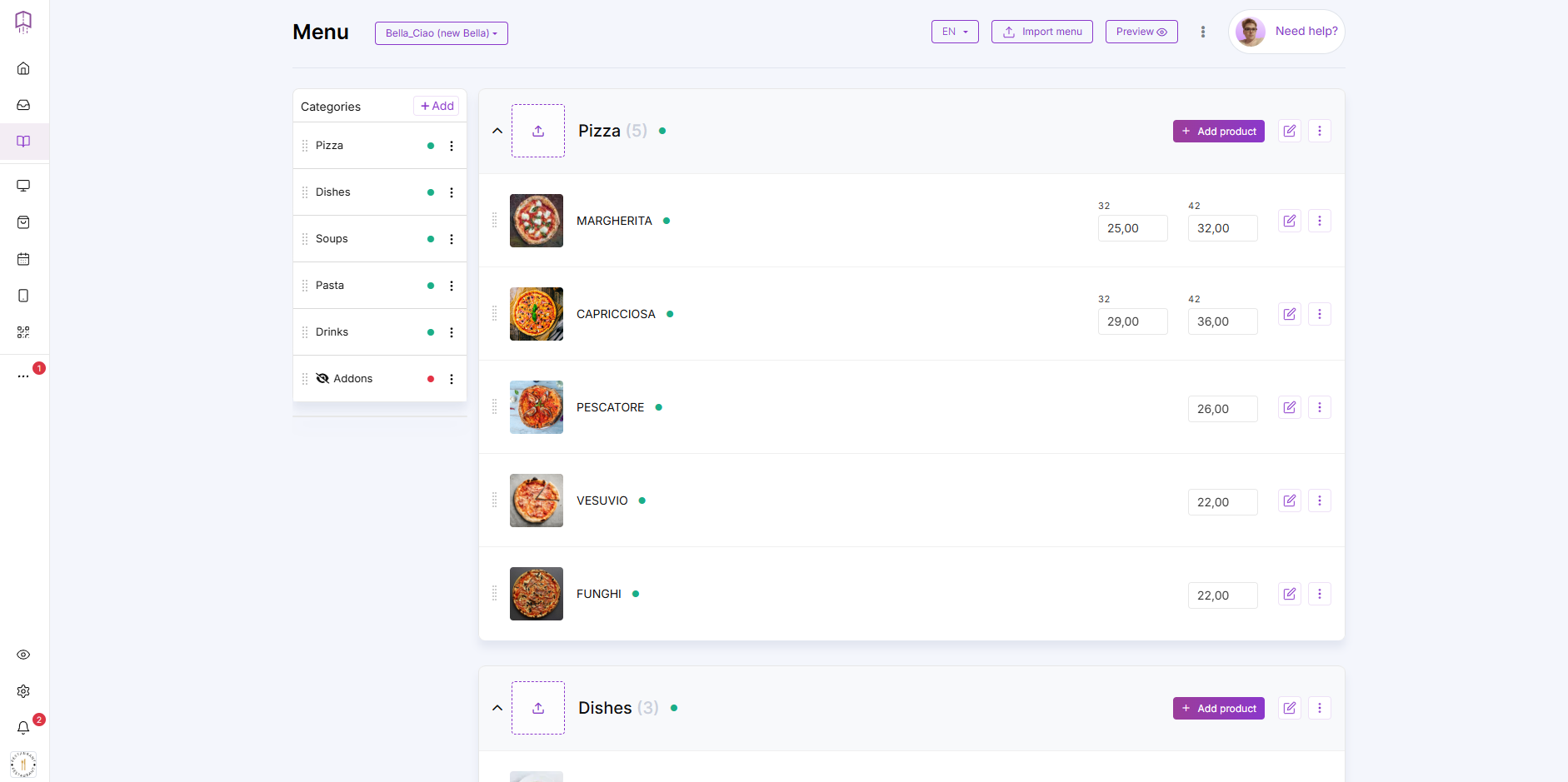
creating a restaurant digital menu in an online ordering system

Step 3: Provide restaurant details

Under the Settings icon on the toolbar, you’ll find the“Address and Contact” and “Working Hours” sections.

In the “Address and Contact” section, input your restaurant’s location so customers know where to find you for dine-in or pickup orders.
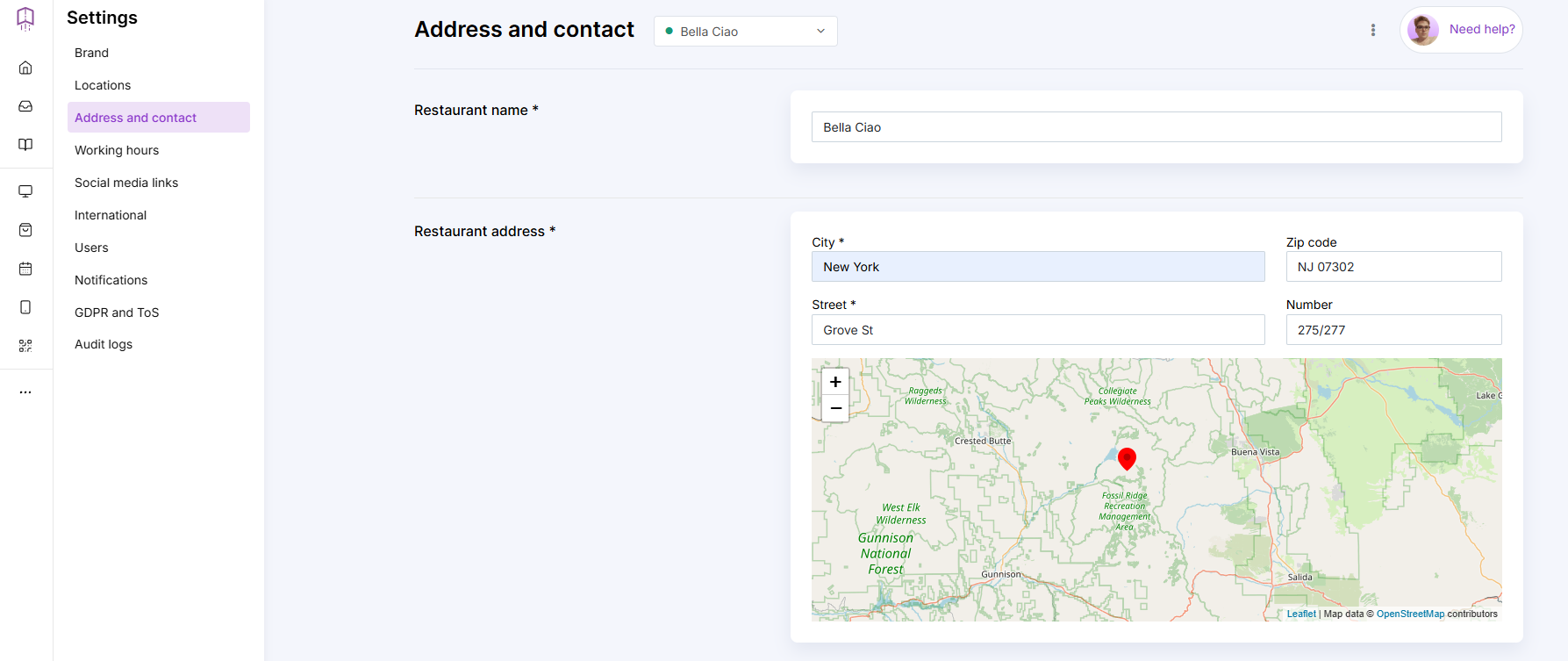
adding restaurant contact information in an online ordering system

In the “Working Hours” section, you can add your business hours so customers know exactly when you’re open.

Step 4: Set up your delivery zones

Under the Online ordering button on the toolbar, select the “Delivery Zones” button. Here, you can draw your delivery zones in proximity to your restaurant.

Doing so lets customers know where delivery workers are able to deliver orders and at what price.
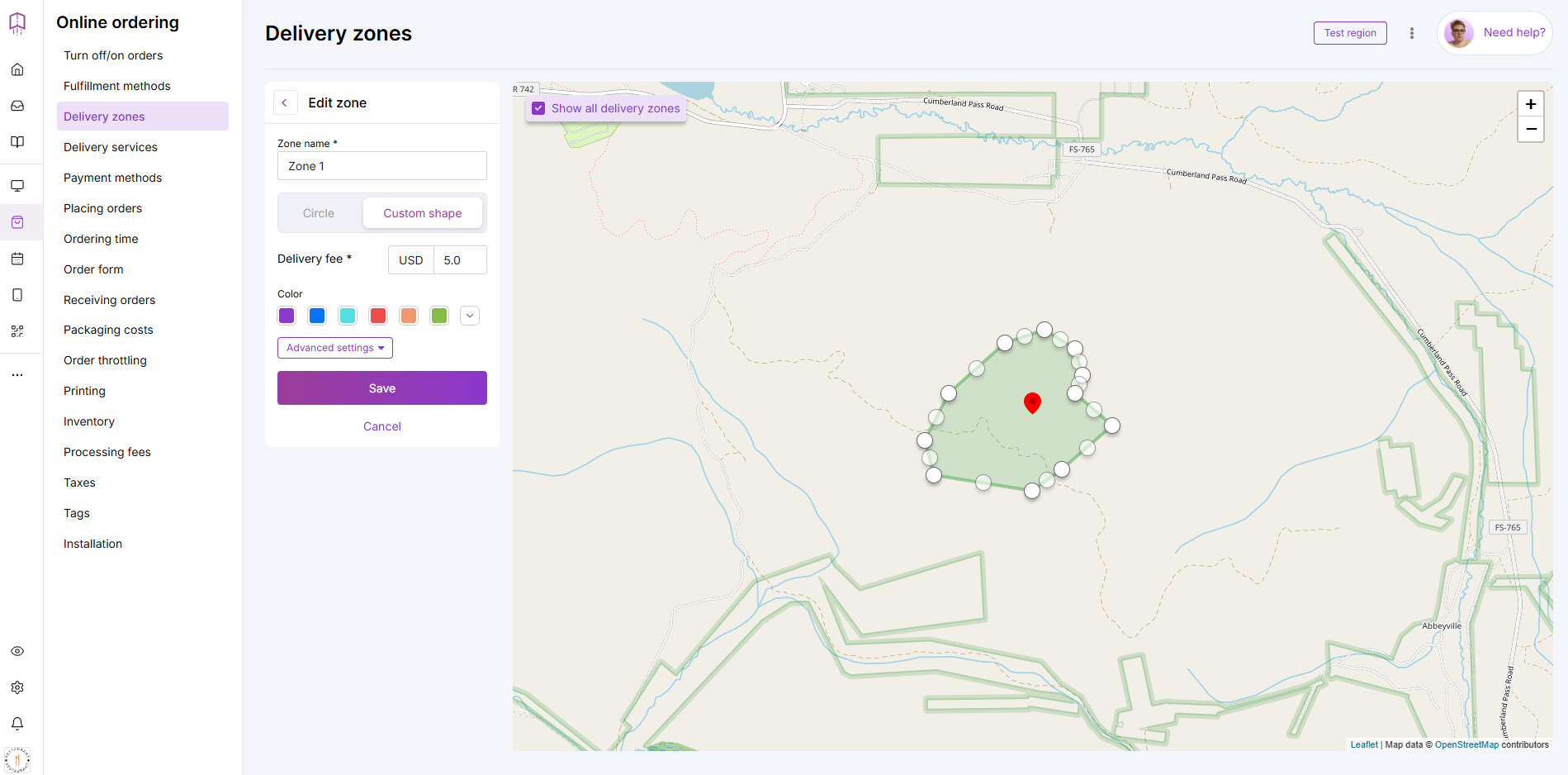
adding delivery zones in an online ordering system

Delivery zones and delivery costs are visible to your customers in the restaurant app and are calculated automatically based on the customer’s address.

Step 5: Enable online payments

Under the Online ordering button, select “Payment methods” and in the “Online Payments” section, tap the button “Complete setup” to configure Stripe Connect. Doing so creates a secure payment gateway, allowing clients to pay online for pickup or delivery orders.

Instead of enabling Stripe, you can also enable PayPal payments or Adyen payments.
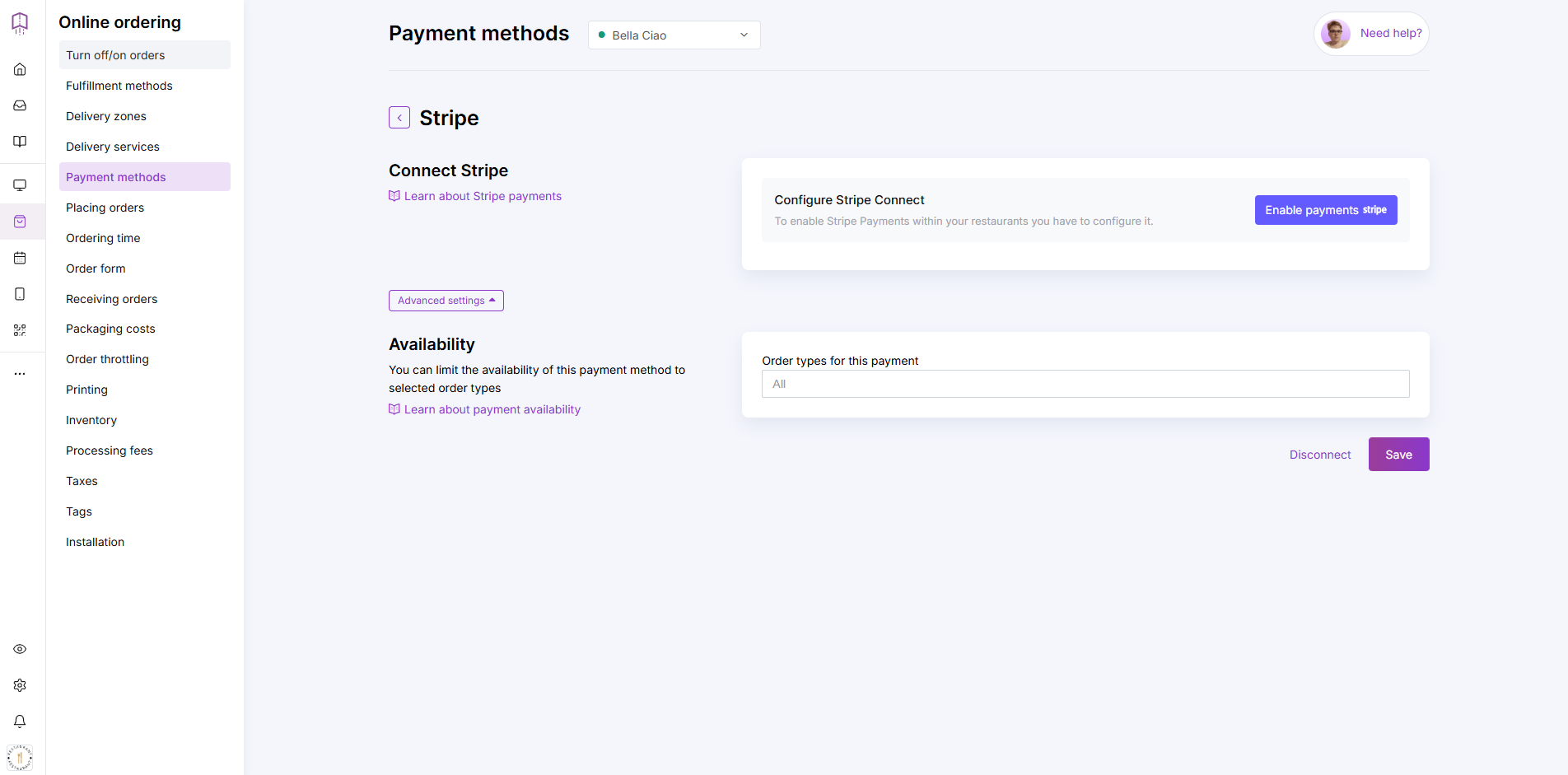
enabling online payments with Stripe in an online ordering system

Step 6: Implement a Loyalty Program (optional)

A restaurant loyalty program is designed to increase customer retention by up to 63%.

For each purchase clients make, they’re rewarded with stamps and points, which can be redeemed for a free meal, discount, or any special reward you come up with.
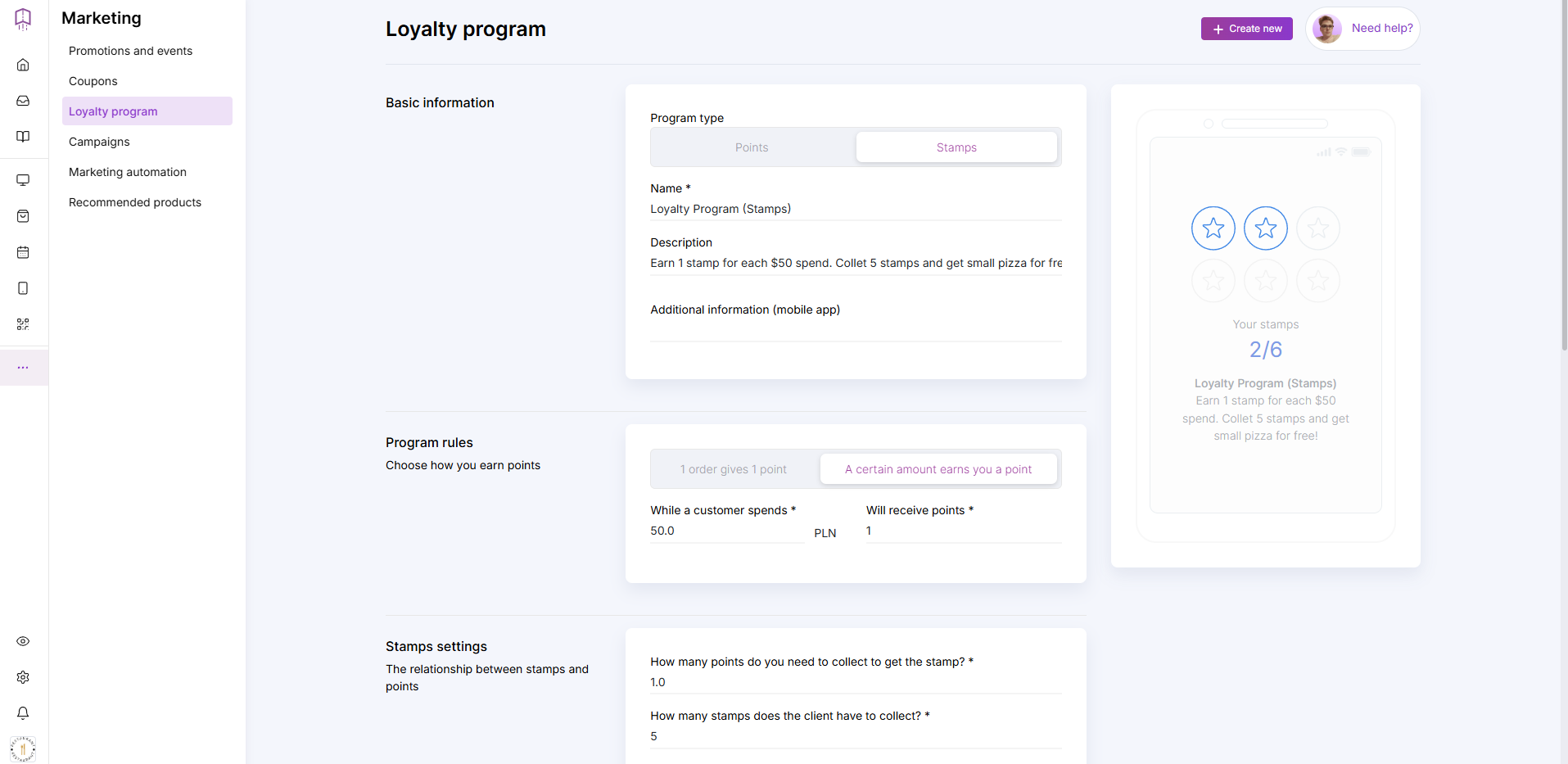
setting up a loyalty program for a restaurant in an online ordering system

To implement a loyalty program, under the “Marketing” button, select “Loyalty program.”

Step 7: Customize your Food Delivery App

Once you’ve added your restaurant menu, contact details, working hours, delivery zones, and set up online payments, you can customize your app.

Click the “Mobile App” button to design your delivery app to fit your restaurant branding.
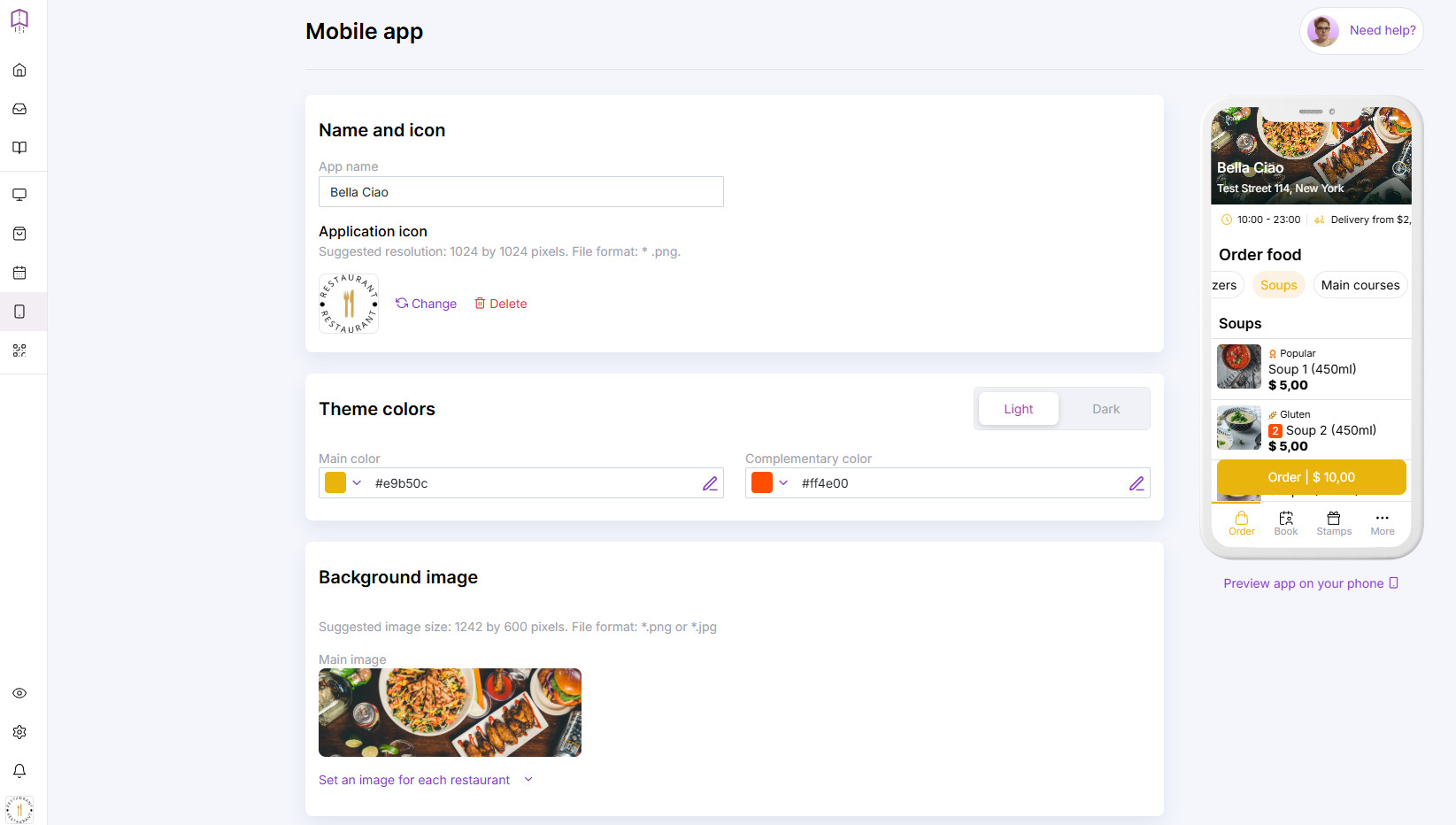
customizing layout of food delivery in a restaurant app builder

1. Add Your Delivery App Name

Your app name allows customers to find your branded app in the Google Play Store and Apple App Store, so make sure to use the name of your restaurant.

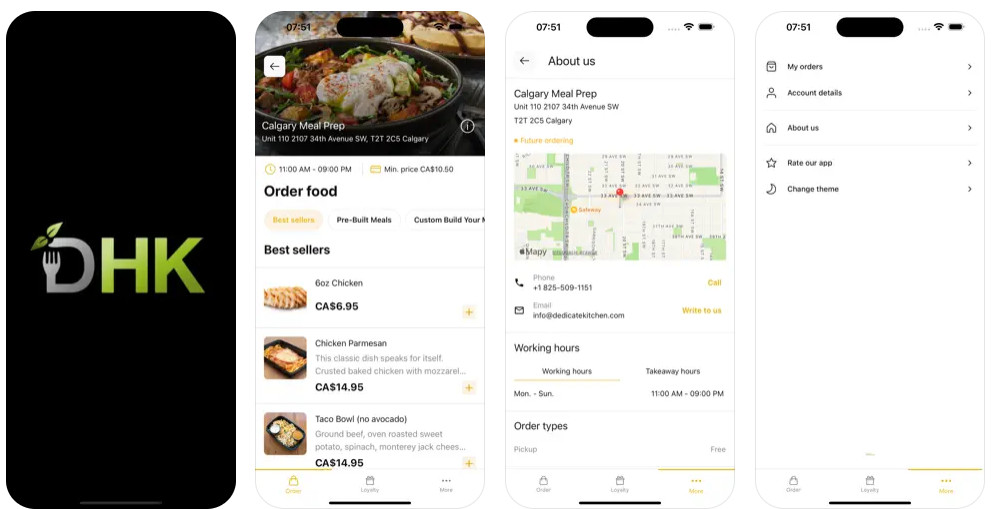
Examples of Branded Food Delivery Apps

2. Upload Your Delivery App Icon

Your logo works as your app icon, so ensure it’s the right size and that your clients can quickly identify it.

When uploading your icon, make sure it is in .png format. The suggested resolution is 1024 by 1024 pixels.
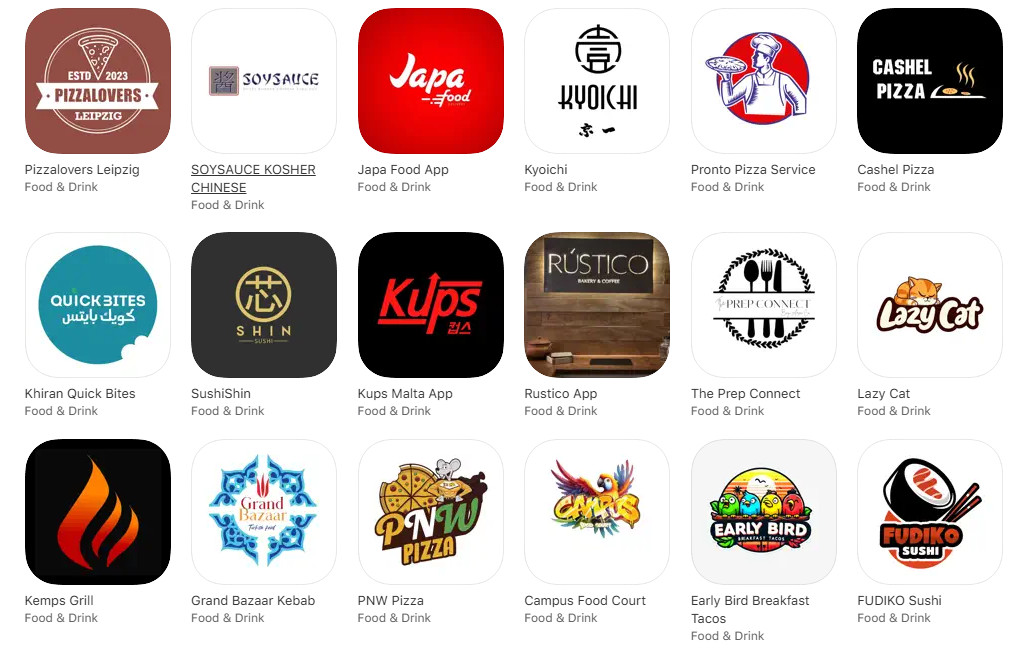
adding restaurant logo in a restaurant app builder

3. Add Your Colors

Choose your main and complementary colors, and decide whether to use light or dark tones.

Ensure your app’s color scheme matches your restaurant’s branding. That way, when clients download your app, they can be sure it’s the right one.

Plus, an ordering app that matches your restaurant’s branding makes your business look more professional.

4. Add Background Image

Last but not least, upload the background image. Make sure the format is *.png or *.jpg. The suggested image size is 1242 by 600 pixels.

Once you’ve done this, click on “Preview app on your phone” to see how the app will look.

Step 8: Publish Your App

After you’ve customized your online food delivery app, the last step is to click on the “Publish app” button to publish it onto the App Store and Google Play Store. 
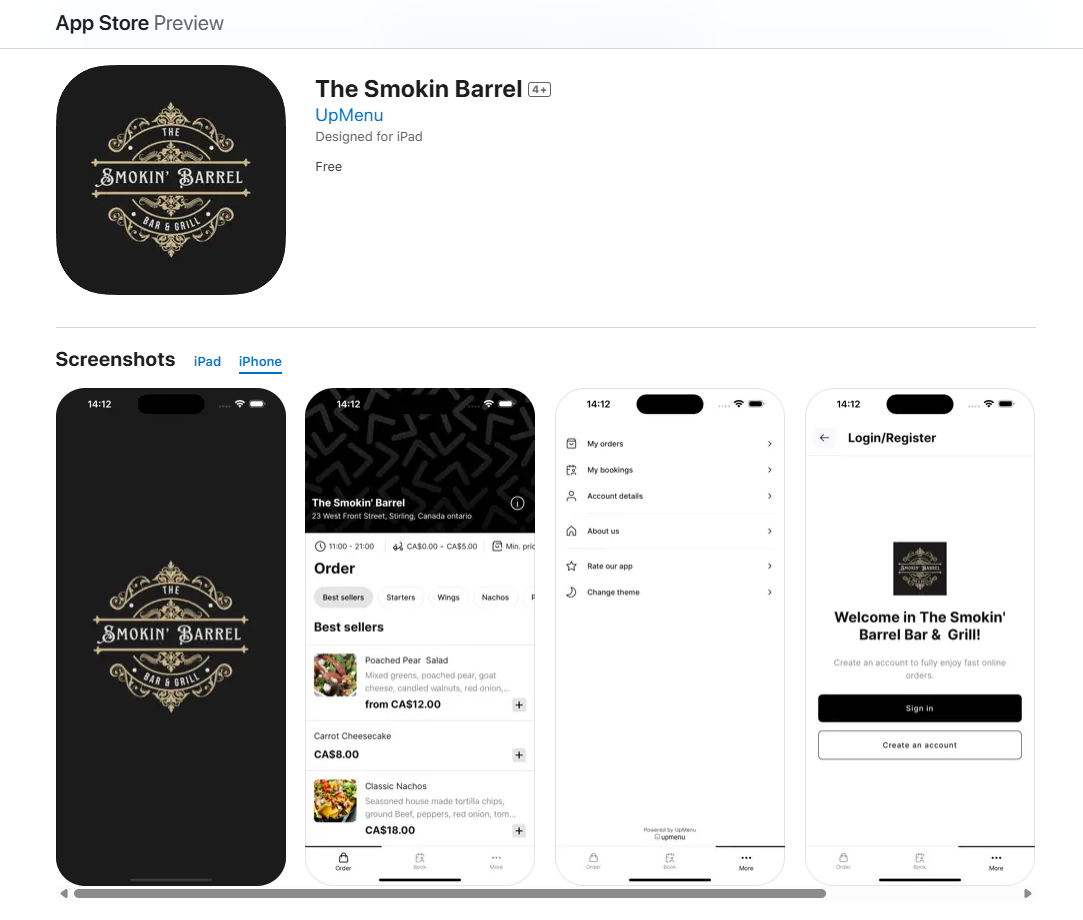
example of food ordering app in App Store

Doing so puts your business in front of your target audience and allows them to download your app for quick food delivery services.
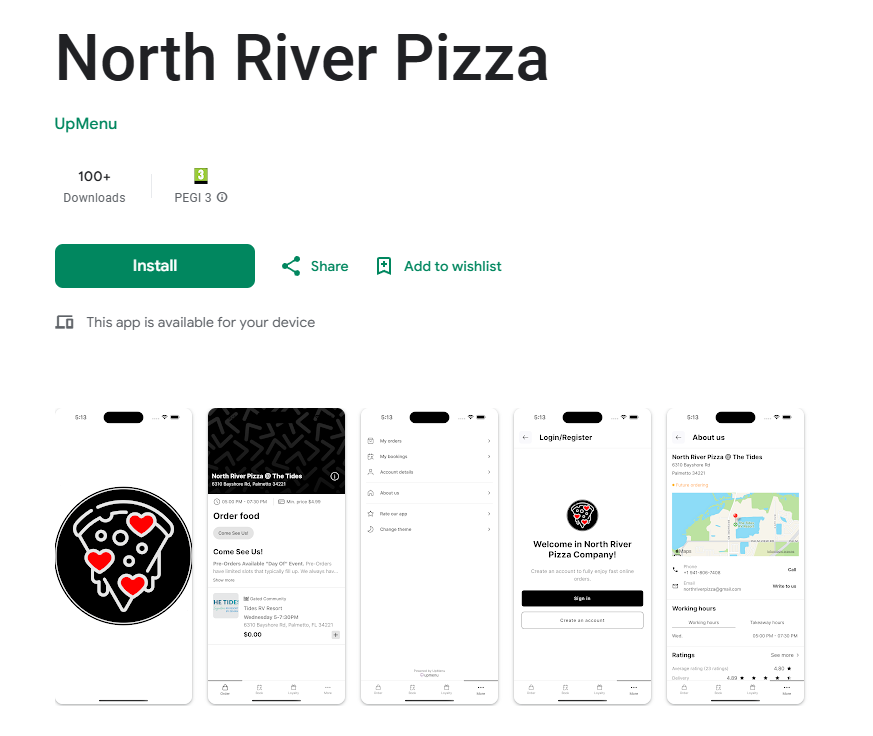
example of food ordering app in Google Play

Step 9: Promote Your Food Delivery App

Once your app is available to download, you need to get the word out about it to your target audience. Doing so gets them to download your app, which increases your number of food orders.

Below I shared three great ways to promote your food delivery app.

1. Print QR codes

QR codes are the perfect way to get your in-house clients to download your app for online ordering.

In your online ordering system’s QR Code Menu & Tableside ordering section, you can select a QR code template, choose background color, text color, and write the description to customize a QR code.
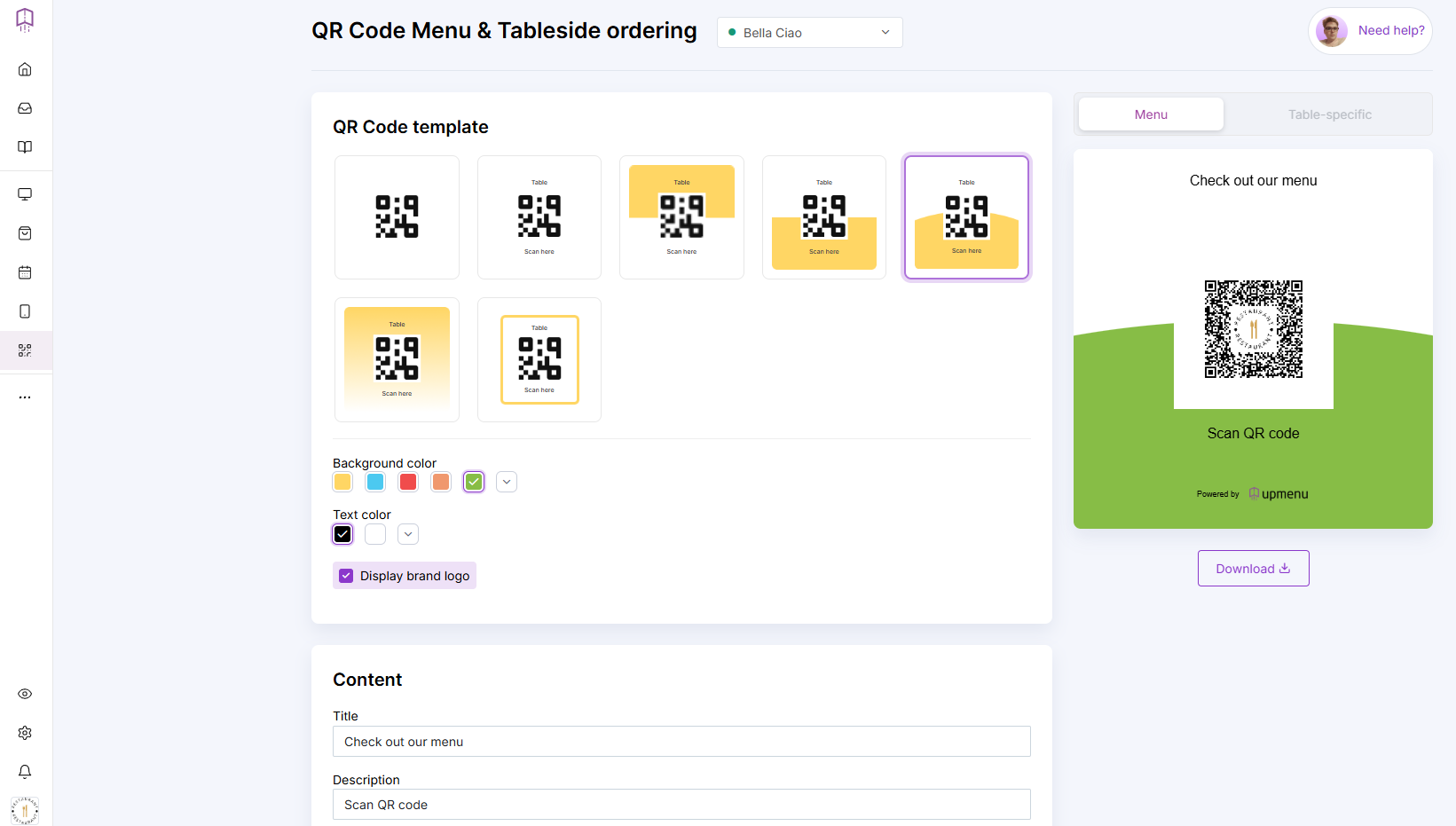
creating QR code in online ordering system for restaurants

Once you print it, display it in your restaurant, on a window or door, so food delivery app users can easily keep your restaurant right on their phones.

2. Add an App Page to Your Restaurant Website

Turn website visitors into customers by adding a page promoting your app.

Include links to the app stores and images of what it looks like so that clients are more likely to download it.
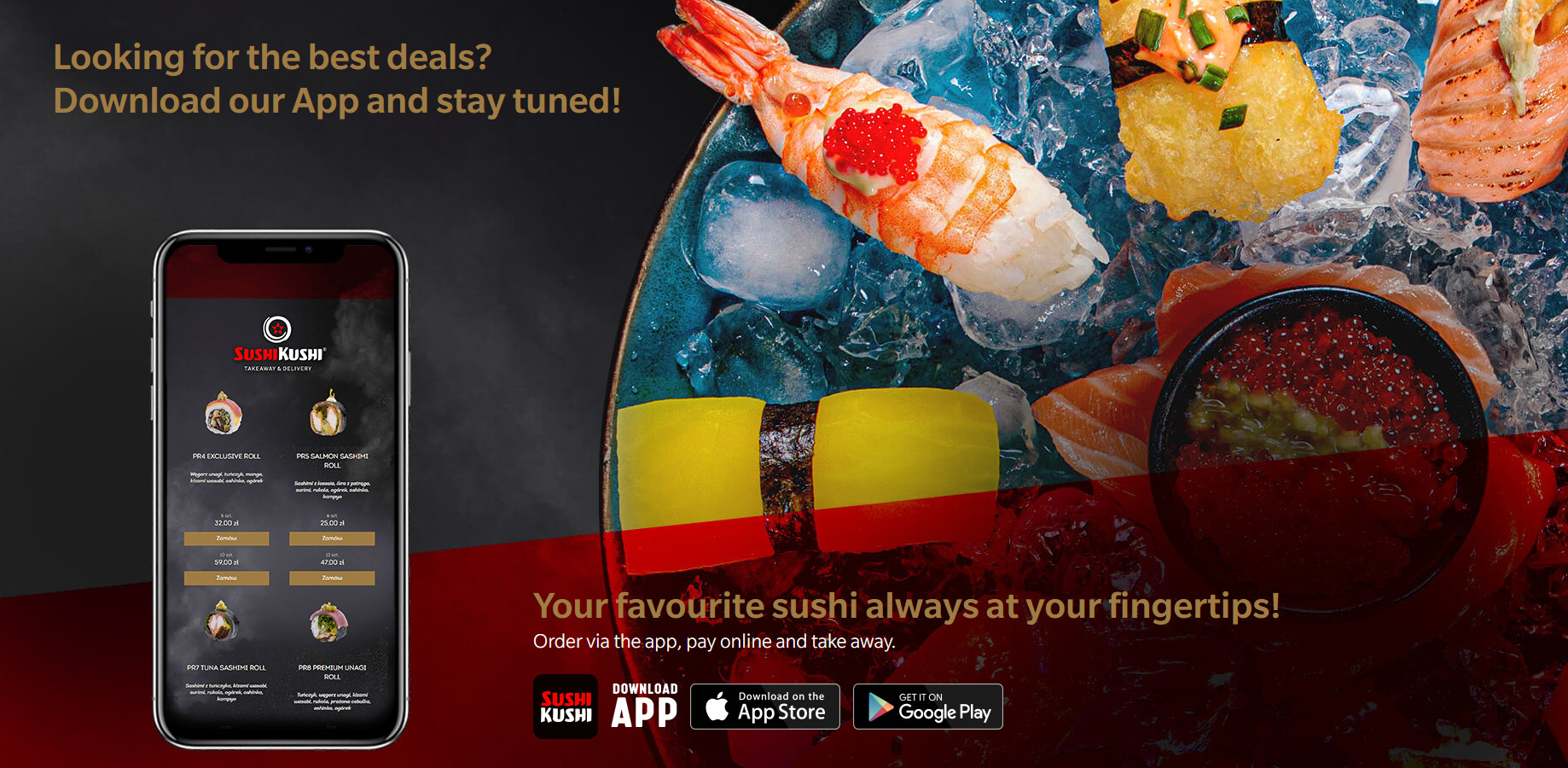
example promotion of food delivery app on Sushi Kushi website

3. Send an Email & SMS Campaign

Reach your clients and inform them about your new online ordering app. Use restaurant email marketing software or send an SMS, informing them how quick and easy it is to use the app to order delivery now.

It will encourage customers to place orders directly from their phones, making the process more convenient and efficient, which in turn increases customer satisfaction.

You can also promote your app through a restaurant newsletter, offering updates and special offers to encourage its use.

Food Delivery App Features You Need

A food delivery app needs nine core features: online ordering, a digital menu, secure payments, a loyalty program, an order-taking app for staff, push notifications, no-code customization, ratings and reviews, and coupon codes.

The best apps are built for three users at once — customers who order, owners who manage, and drivers who deliver.

For customers

Online ordering, a digital menu, secure payments (Stripe, PayPal, or Adyen), real-time order tracking, push notifications, ratings & reviews, and coupon codes — everything needed to browse, order, and pay in a few taps.

For restaurant owners

A menu management and order management dashboard, a loyalty program, no-code app customization, and full customer data ownership — so you run the app and the marketing without touching code or sharing data with a third party.

For drivers

Order assignment, GPS navigation with route optimization, delivery status updates, and earnings/order history — kept in a dedicated courier app so deliveries stay fast and trackable.

Online Ordering Preferences Stats Through the Years
  • In 2023, 13% of customers used third-party apps or websites to place a delivery or takeout order, while 40% preferred to order through the restaurant’s app or website. This highlights the importance of a restaurant owning its own digital experience, as reported by Restaurant Technology News.
  • According to the 2025 Commerce Experience Report by NCR Voyix, the majority (58%) of customers prefer ordering delivery through a restaurant’s app or website. Key reasons for ordering directly include convenience (65%), ease of customization (50%), and earning loyalty points (36%).
  • According to Paytronix, mobile apps account for 34% of digital orders, and users of mobile apps have a 45% higher customer lifetime value (CLV) compared to web users.

Benefits of Having Your Own Food Delivery App

The food delivery app market increased from USD 6.06 billion in 2023 to USD 6.82 billion in 2024. It is projected to grow at a CAGR of 12.96%, reaching USD 14.24 billion by 2030.

According to Persistence Market Research, mobile apps are expected to become the leading channel in the online food delivery segment by 2030. Their growth is driven by features like ease of use, accessibility, personalized recommendations, real-time tracking, and secure payments, all enhancing the user experience and fostering customer loyalty.
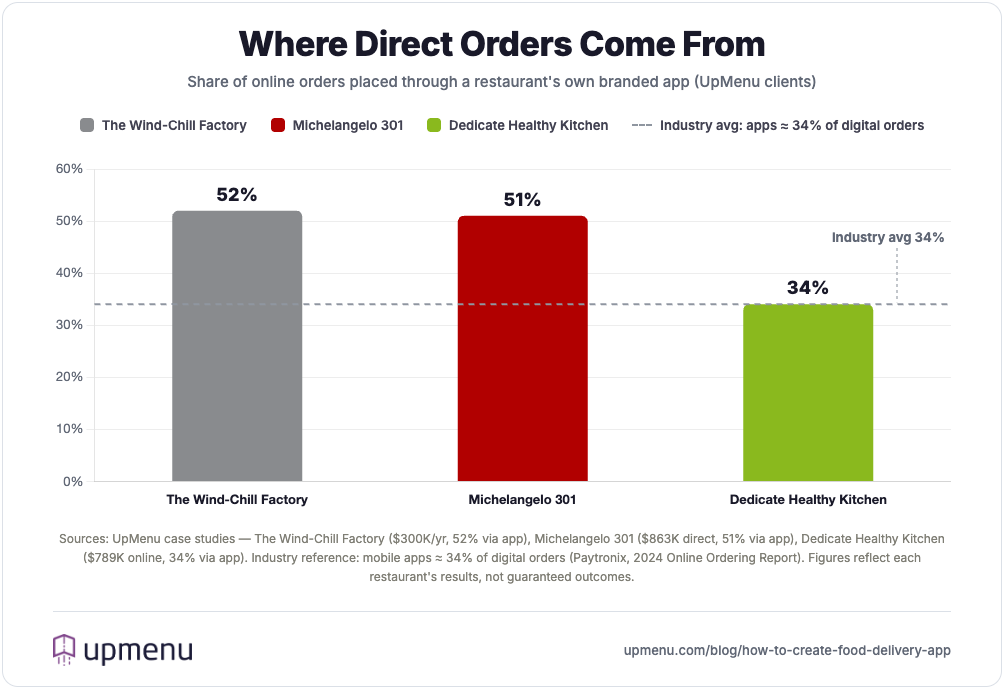
Share of restaurant online orders placed via branded app

Owning your food delivery platform comes with several benefits for your restaurant. Below, I’ve briefly described these benefits.

  • Protecting your margin from third-party delivery services: Your food delivery application eliminates the need to pay commission fees to third-party delivery services and additional marketing fees that can eat up your profit margins.
  • You own the customer data: With your custom food delivery mobile app, you own all of your clients’ data, including their contact details, order history, and other information.
  • More orders: As shown by the statistics, customers prefer to order food directly from their favorite restaurants, rather than through a third-party system that charges hefty delivery fees and additional costs. This means you can expect more orders.
  • Boost customer loyalty: With your own food delivery app, you can improve customer loyalty via the loyalty program. Automatically reward food delivery app users for their purchases and improve communication and restaurant feedback.
  • Control delivery: With your own delivery app, you control the delivery process and choose who delivers outgoing food orders.
  • More customer reviews: With your own branded food delivery application, customers are more likely to leave reviews, as the process is quick and easy.

Restaurant App Builder vs. Software Development Company

To build a food delivery app, you have two options.

  • Hiring a Software Development Company: Such a company can create a custom food delivery app development that is made to order. However, once they develop food delivery app features, you can only make changes with their assistance. Additionally, developing a restaurant app can be very expensive, especially if you need advanced features or custom integrations.
  • Using a Restaurant App Builder: Alternatively, you can build the app yourself using a restaurant app builder, which is a tool that allows you to create a custom app without coding skills. This option is typically more affordable and quicker, offering pre-designed templates and features. Using an app builder is a great option if you’re looking for a budget-friendly, fast solution without the need for extensive technical resources.

Below, I have prepared a table where you can compare both solutions.

Feature Restaurant App Builder Software Development Company
Who builds the app? You via an app builder A hired development team
How much does it cost to build a food delivery app? Prices start from $49 per month From $15,000 to $30,000, with an average of around $25,000
How long does it take to design? ~1 hour UX design typically takes 2–3 weeks, while UI design takes 3–4 weeks
How long does it take to create? ~1 hour + app publishing on Google Play and App Store (usually around 2 weeks) 3–4 months for a basic app, 6–9 months for an advanced app
Customization Options Limited customization (depending on the builder) Full customization tailored to your specific needs
Ongoing Maintenance Usually included in the monthly subscription fee Additional ongoing maintenance costs, often significantly higher
Technical Expertise Required No technical skills required Requires experienced developers, designers, and project managers

A software development company is a better option if you own a restaurant franchise business model and require heavily customized features for your delivery app.

If you need an easy-to-use solution, go with an app builder.

If you’re planning a multi-restaurant marketplace rather than an app for your own restaurant, you’ll also need a revenue model — typically commissions from restaurants, customer delivery fees, subscription passes, or paid promotions. For a deeper look, see our guide on how to start a food delivery business.

Frequently Asked Questions (FAQ)

A no-code restaurant app builder starts at about $49/month. A custom build by a software company costs $15,000–$30,000 — on average $25,000 — depending on the features and integrations you need.

To start your own food delivery service:

  • Research the Market: Analyze competitors and identify a niche.
  • Create a Business Plan: Define your business model, pricing, and budget.
  • Build Your Brand: Develop a name, logo, and website/app.
  • Get Necessary Licenses: Ensure compliance with local regulations and obtain required permits.
  • Choose a Delivery Model: Decide whether to hire in-house drivers or use third-party delivery services.
  • Partner with Restaurants: Build relationships and offer technology solutions.
  • Set Up Payment Systems: Integrate secure payment methods.
  • Market Your Service: Use promotions, local advertising, and SEO to attract customers.
  • Test and Launch: Run a beta test, gather feedback, and refine the service.
  • Focus on Customer Service: Ensure timely deliveries and responsive support.

Yes, you can create an app similar to DoorDash. You’ll need to collaborate with a software development company to do so. Follow these steps to create an app like DoorDash:

  1. Market Research: Analyze competitors and identify your target niche.
  2. Define Features: Include a user app, restaurant portal, driver app, and admin panel.
  3. Choose Development: Work with a software development company for custom development or use an app builder.
  4. Design & UI/UX: Create a user-friendly interface for all users.
  5. Develop & Integrate: Implement payment gateways, GPS, and a secure database.
  6. Test: Conduct thorough testing before launch.
  7. Launch & Market: Launch in your target area and use effective marketing.
  8. Maintain: Update and maintain the app regularly.

With a no-code builder, setup takes about an hour, plus roughly two weeks for App Store and Google Play approval. A custom build takes 3–4 months for a basic app and 6–9 months for an advanced one.

No. A no-code restaurant app builder uses ready-made templates and drag-and-drop tools, so you can build, customize, and publish a branded app without writing a single line of code.

The nine core features are online ordering, a digital menu, secure payments, a loyalty program, an order-taking app for staff, push notifications, no-code customization, ratings and reviews, and coupon codes.

Most apps combine four models: restaurant commissions (15–30% per order), customer delivery fees, subscription passes, and paid promotions. With your own branded app you skip commissions and keep the margin. (Learn more in our guide on how to start a food delivery business.)

Third-party apps give you instant reach but take 15–30% of every order and own your customer data. Your own branded app costs less per order over time, keeps the customer relationship, and lets you run your own loyalty and marketing — most restaurants use both: discovery on the platforms, repeat orders on their own app.

Picture of Marcin Muras

Marcin Muras

Founder & CEO of UpMenu. Leads product development. Writes about restaurant technology, POS systems, and the economics of running a modern restaurant. Software engineer turned founder — building UpMenu since 2012, today used by thousands of restaurants in 47+ countries.

How helpful was this post?

Share this article

More from UpMenu:

Try for free,
no commitment!

Ready to take the next step for your restaurant business?
Schedule a Demo Today! 🚀