
8 Types of Restaurant POS Systems (How to Choose)
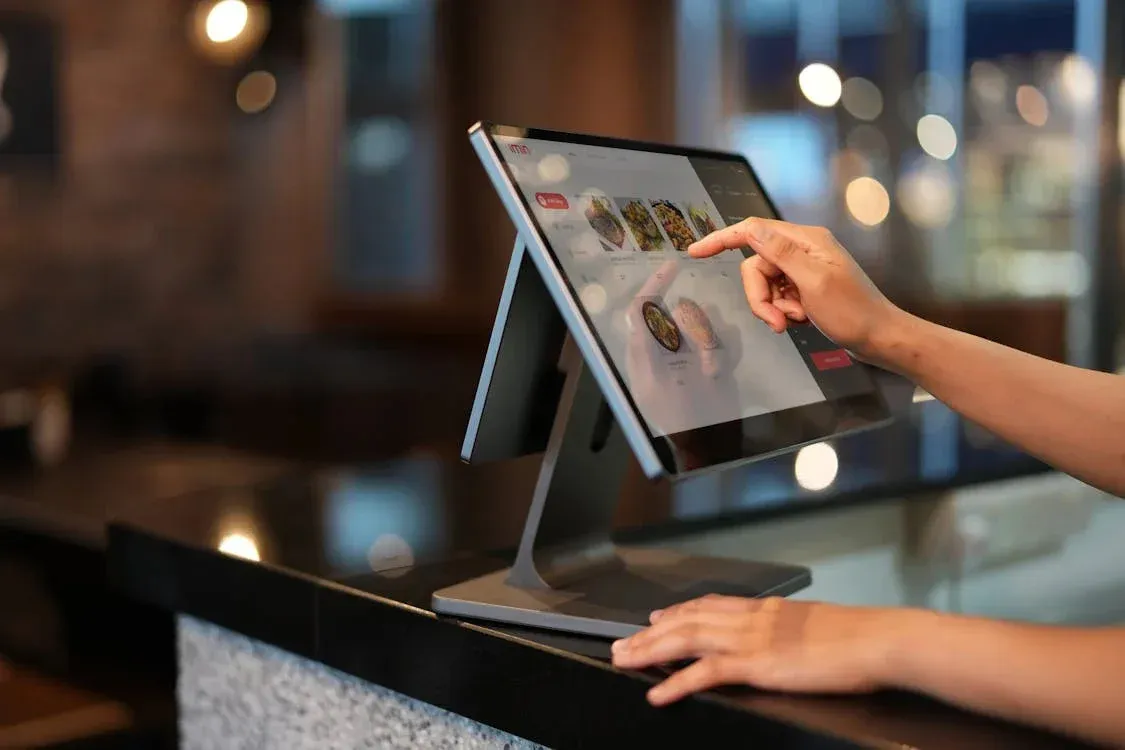
There are 8 main types of restaurant POS systems: cloud-based, mobile, traditional (legacy), tablet, self-service kiosk, open-source, hybrid, and multichannel.
Cloud-based and tablet systems suit most modern restaurants thanks to low upfront cost and flexibility, while high-volume operations may still prefer a traditional terminal.
Below you’ll find a side-by-side comparison and a step-by-step guide to choosing the right restaurant POS software for your business.
POS System Type | Best For | Key Features | Pricing Model | Examples |
|---|---|---|---|---|
Cloud-based | Most restaurants; multi-location | Remote access, real-time updates, runs on tablets | Monthly subscription; low hardware costs | Toast, Square, Lightspeed |
Mobile | Tableside service, food trucks, events | Pay at the table, portable card reader | Subscription + small hardware investment | Square Reader, Clover Flex |
Traditional / Legacy | High-volume, fixed-location restaurants | Dedicated terminal, works offline, very reliable | Higher upfront hardware costs | Aloha, Oracle MICROS |
Tablet | Small restaurants, cafés, limited space | Touchscreen, easy to learn, low cost | Subscription + tablet | Square Stand, Lightspeed |
Self-service kiosk | QSR, fast-casual, high foot traffic | Customer self-ordering, reduces labor, supports upselling | Higher upfront cost per kiosk | Clover Kiosk |
Open-source | Restaurants with in-house IT, custom needs | Fully customizable, no vendor lock-in | Low licensing costs, higher development costs | Floreant, UniCenta |
Hybrid | Areas with unreliable internet | Works offline and syncs to the cloud | Mid-range upfront cost + subscription | Lavu, TouchBistro |
Multichannel | Restaurants selling in-house, online, and via delivery | One system for all channels, unified inventory | Higher-tier subscription | UpMenu, Lightspeed |
1. Cloud-Based POS Systems
Cloud-based POS systems are becoming increasingly popular in the restaurant industry due to their flexibility and cost-effectiveness.
These systems store data on remote servers, making it easy for restaurant managers to access real-time sales and inventory management from anywhere with an internet connection. They are particularly suitable for restaurants with multiple locations or those that need remote access.
They often integrate with other essential tools like accounting and restaurant CRM software, and typically run on tablets or smartphones — keeping upfront hardware costs low.
Pros:
- Scalability: Easily scales with your restaurant as you add locations or order volume.
- Remote access & real-time updates: Access sales, inventory, and customer data from any device, always up to date.
- Lower hardware costs: Runs on tablets or smartphones instead of expensive dedicated terminals.
Cons:
- Dependence on internet connection: Needs a stable connection to operate, which can be an issue in areas with unstable connectivity.
- Subscription fees: Usually carries monthly or annual fees that add up over time.
2. Mobile POS Systems
Mobile POS systems offer the flexibility to process orders and payments directly at the table or wherever the customer is, making them a great choice for restaurants that want to enhance the speed of service.
With these systems, staff can quickly take orders, process payments, and update the menu, improving customer satisfaction and reducing wait times.
They also integrate with payment processing tools and barcode scanners, which makes them an excellent fit for quick-service restaurants or table-side service.
Direct mobile ordering can meaningfully cut third-party fees — Finnish restaurant Yami Sushi saved around €16K on commissions and earned €107K in revenue after launching online ordering and a branded mobile app (Yami Sushi case study).
Pros:
- Portability: Servers take orders and process payments directly at the table.
- Integration with other tools: Connects with payment processing tools, barcode scanners, and other POS devices.
- Mobile payments: Support Apple Pay, Google Pay, and other contactless options.
Cons:
- Limited features: May not offer as many advanced features as traditional systems.
- Battery life: Devices need to be charged, and running out mid-shift could disrupt service.
3. Traditional (Legacy) POS Systems
Traditional POS systems — also called legacy or on-premises systems — are fixed, hardware-based setups that store data locally rather than in the cloud. They’re built around dedicated terminals, receipt printers, and cash registers, and are common in large, high-volume restaurants.
Because everything runs on-site, these systems don’t depend on an internet connection, which makes them stable and secure.
The term “legacy” refers to older on-premises systems still in service — they share the same locally installed architecture as newer traditional setups, but often lack modern capabilities like cloud integration, mobile payments, and advanced restaurant analytics.
For restaurants running an older legacy setup, upgrading to a modern cloud-based or mobile solution is often worthwhile to unlock features like remote access and integrated online ordering.
Pros:
- Reliability: Stable, dependable performance, ideal for high-volume restaurants that need consistent uptime.
- Full features (modern setups): Robust inventory management, sales tracking, and integration with POS hardware and kitchen display systems (KDS).
- No internet required: Keeps working even when the connection drops.
Cons:
- High hardware costs: Higher upfront costs for dedicated terminals, cash registers, and peripherals.
- Limited scalability & on-site maintenance: Hard to scale across locations and usually requires a technician to install and service in person.
- Outdated features (legacy systems): Older systems often lack cloud integration, mobile payments, and modern reporting.
4. Tablet POS Systems
Tablet POS systems are popular for their simplicity and cost-efficiency. They’re portable, letting staff take orders and process payments anywhere in the restaurant, with an intuitive touchscreen interface that’s easy to learn.
They’re a great option for smaller restaurants or those minimizing upfront costs, and they integrate with other restaurant software such as inventory management tools, customer loyalty programs, and online ordering systems.
Pros:
- Cost-effective: Lower hardware costs than traditional systems — ideal for restaurants on a budget or just starting out.
- Portability: Easy to move around the restaurant to take orders and payments wherever needed.
- Ease of use: Intuitive touchscreen interface.
Cons:
- Limited features: May lack the advanced capabilities of larger systems, especially for complex reporting.
- Durability: Tablets are more prone to damage than rugged POS terminals in high-traffic settings.
5. Self-Service Kiosks
Self-service kiosks are particularly popular in fast-casual and quick-service restaurants. They let customers place orders and pay without staff assistance, reducing wait times and improving the customer experience.
By integrating payment processing and order management, kiosks streamline operations, reduce labor costs, and increase order accuracy — while also gathering valuable customer data for marketing and loyalty programs.
Pros:
- Improved efficiency: Customers order and pay without waiting for a server, reducing wait times.
- Labor cost reduction: Frees staff to focus on food prep and customer service.
- Customer data collection: Gathers data for marketing and CRM purposes.
Cons:
- Initial setup costs: Hardware and software installation can be expensive upfront.
- Limited interaction: Some customers prefer human service over machines.
6. Open Source POS Systems
Open-source POS systems are a great option for restaurants that need a highly customizable solution, letting owners modify the software to fit their specific operational needs and integrate with other management tools.
However, they may require a dedicated IT team to manage customizations and keep the system up to date, making them best suited to restaurants with complex needs or in-house technical resources.
Pros:
- Customization: Extensive flexibility to adjust features for unique needs.
- Lower costs: Typically lower licensing fees instead of ongoing subscriptions.
- Integration capabilities: Connects with various tools for a tailored solution.
Cons:
- Technical expertise required: Often needs a dedicated IT team to manage and customize.
- Maintenance: Requires more frequent updates and upkeep.
7. Hybrid POS Systems
A hybrid POS system combines on-premises and cloud-based setups: it runs locally so it keeps working during internet outages, then syncs all data to the cloud automatically once the connection is restored.
This gives restaurants the reliability of a traditional system without losing the remote access and real-time reporting of a cloud platform.
Hybrid systems are a strong fit for restaurants with unreliable internet, or for high-volume venues that can’t afford downtime during service but still want cloud-based management and automatic backups.
Pros:
- Business continuity: Orders and payments keep processing offline, then sync when the connection returns.
- Cloud benefits without full dependence: Remote access, real-time reporting, and backups, while still operating locally.
- Reliable in any environment: Suited to patchy connectivity or venues that can’t risk interruptions.
Cons:
- Higher complexity: Combining local and cloud infrastructure makes setup and troubleshooting more involved.
- Cost: Can carry higher hardware and software costs than a cloud-only system.
8. Multichannel POS Systems
Multichannel POS systems are ideal for restaurants that want to streamline both online and offline sales, managing orders from multiple channels — in-store, online ordering, and delivery services — on a single unified platform.
By integrating all sales into one system, restaurants reduce errors and capture more direct orders. For example, after consolidating online and in-house ordering, Florida pizzeria Michelangelo 301 saw 51% of its online orders come through its own branded app instead of third-party platforms — driving direct sales and cutting commission costs (Michelangelo 301 case study).
Many restaurants pair a multichannel setup with a POS that has online ordering to manage every channel from one screen.
Pros:
- Seamless integration across channels: Manage online and offline sales from a single platform.
- Centralized inventory management: Stock syncs automatically across every sales channel.
- Enhanced data and reporting: Centralized sales data makes it easier to track performance and trends.
Cons:
- Complex setup: Requires proper integration with your website, third-party platforms, and inventory software.
- Higher initial costs: Higher hardware and subscription costs than single-channel solutions.
- Dependence on internet connection: Connectivity issues can disrupt order processing across channels.
Which POS Type Fits Your Restaurant?
Restaurant Type | Recommended POS Type | Why |
|---|---|---|
Quick-service / fast-casual | Self-service kiosk + cloud | Speed, reduced labor costs, and support for high order volume |
Full-service / fine dining | Cloud + tableside mobile | Supports table management and pay-at-the-table experiences |
Café / coffee shop | Tablet | Low cost, small footprint, and easy staff training |
Food truck / pop-up | Mobile | Portable, works almost anywhere, and requires less hardware |
Pizzeria / delivery-focused | Multichannel + delivery POS | Manages dine-in, online ordering, and delivery from a single system |
Multi-location chain | Cloud / multichannel | Provides centralized management and real-time reporting across locations |
How to Choose the Right Restaurant POS System
To choose a restaurant POS system, match the type to five things:
A small cafe usually fits a tablet POS; a pizzeria benefits from a system with delivery and online ordering; a multi-location chain needs a cloud-based or multichannel system. Still comparing options? See our guide to the best POS systems for restaurants.
Frequently Asked Questions (FAQ)
The four main types of POS systems for restaurants are:
Cloud-Based POS Systems: store data on remote servers, so you can access information from any device with an internet connection. They’re scalable, cost-effective, and ideal for businesses with multiple locations.
Mobile POS Systems: portable and flexible, they let staff take orders and process payments directly at the table or anywhere in the restaurant, improving service speed and customer satisfaction.
Traditional POS Systems: fixed, on-premises systems known for reliability and stability. They work without internet and handle high transaction volumes, though they cost more upfront and are harder to scale.
Tablet POS Systems: run on tablets as the primary interface for managing orders and payments. They’re portable, easy to use, and cost-effective, making them a great choice for smaller restaurants or those with limited space.
A POS system is the full software-and-hardware setup that processes sales, tracks inventory, and manages customers. A POS terminal is just one hardware component — the physical device (card reader or touchscreen) that takes payment. Every terminal is part of a POS system, but a POS system is more than its terminal.
Cloud-based POS systems are the most common today, especially among small and mid-sized restaurants, thanks to lower upfront cost, remote access, and automatic updates.
A tablet POS is usually the best fit: low hardware cost, easy to learn, and portable for counter or tableside use.
Traditional and hybrid systems work offline; most cloud-based systems offer a limited offline mode that syncs when reconnected.
About the author

CEO & Founder
Founder & CEO of UpMenu. Leads product development. Writes about restaurant technology, POS systems, and the economics of running a modern restaurant. Software engineer turned founder — building UpMenu since 2012, today used by thousands of restaurants in 47+ countries.