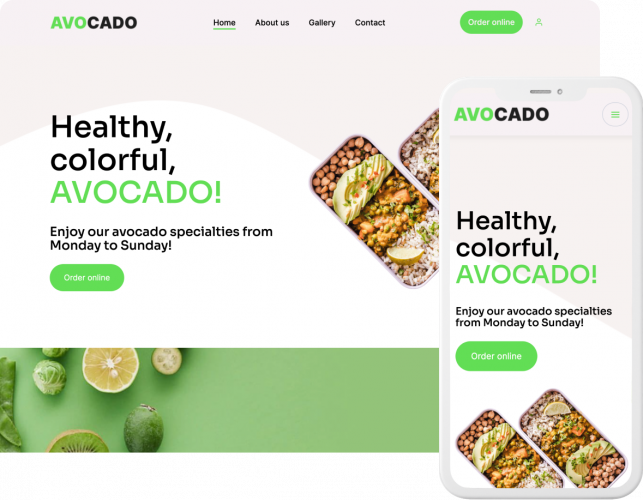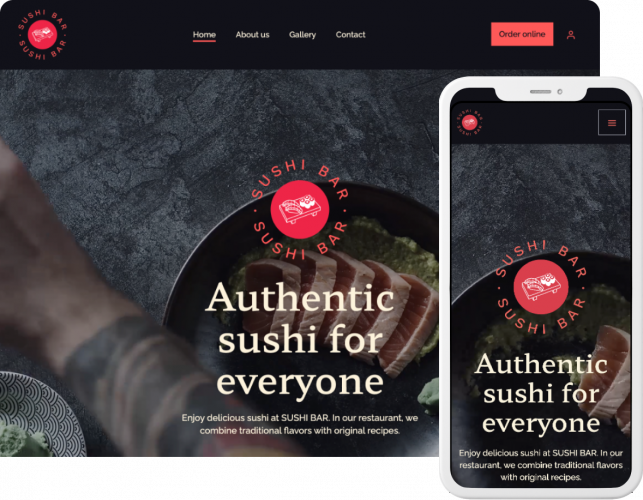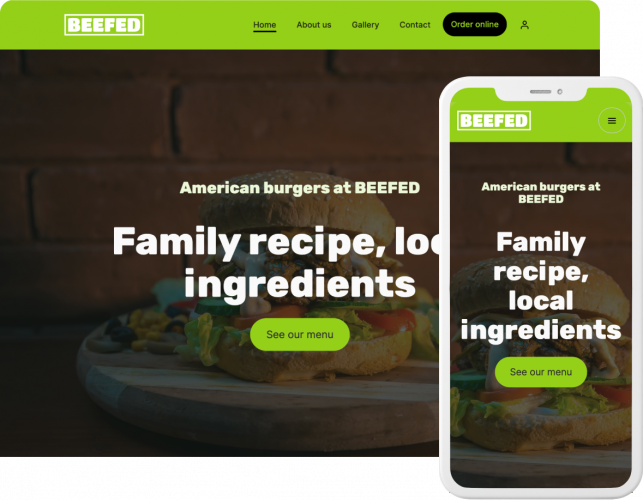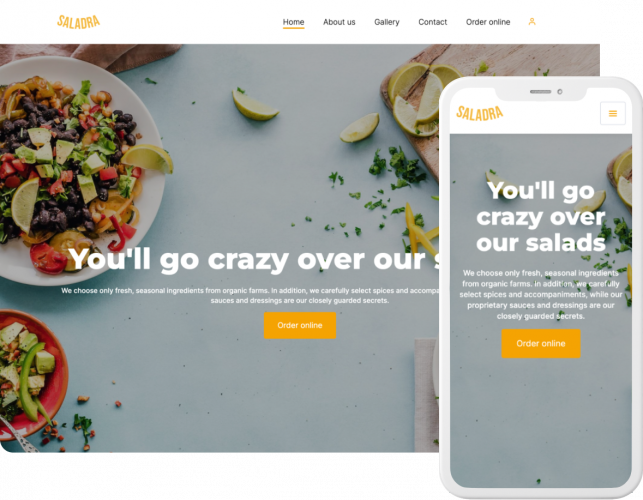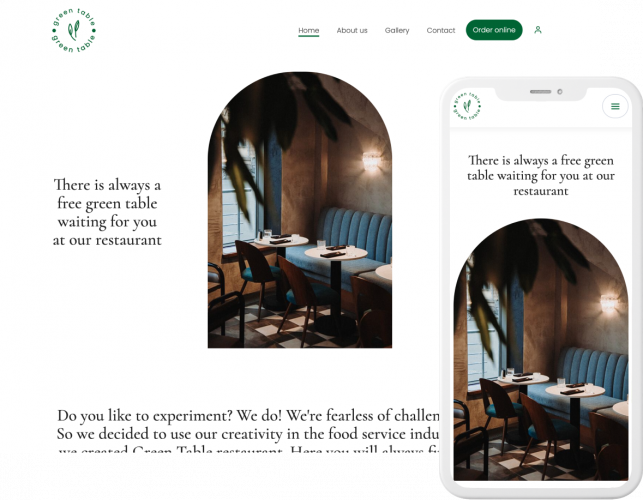
Most restaurant websites fail for one simple reason: they don’t convert visitors into orders.
I’ve seen restaurants invest time and money into a website that looks great—but doesn’t include online ordering, loads slowly, or hides the menu behind multiple clicks. The result? Customers go back to delivery apps.
In this guide, I’ll show you how to create a restaurant website that actually works, so it brings you more direct orders, not just traffic.
Quick Answer: Best Way to Create a Restaurant Website?
- Fastest: use a restaurant website builder
- Best for most restaurants: builder with built-in online ordering
- Most flexible: WordPress or custom development
If your goal is to launch quickly and get more direct orders, a builder is usually the best choice.
3 Ways to Create a Restaurant Website
There are three main ways to build your website. The right option depends on your budget, timeline, and how much control you need.
1. Website Builder (Best for Most Restaurants)
The fastest and simplest way to launch.
You choose a restaurant website template, add your menu, and publish your site — no coding needed.
- Independent restaurants
- New openings
- Non-technical owners
- Go live in 1–2 days
- Easy menu updates
- All-in-one setup (hosting, support)
- Often includes online ordering
- Less flexibility than custom sites
- Design depends on templates
Use this if: you want to launch fast and start getting orders immediately.
2. WordPress / WooCommerce
More control, but more setup.
You need hosting, a theme, plugins, and someone to manage updates.
- Restaurants with technical support
- SEO-focused websites (blogs, content)
- Businesses needing more customization
- High flexibility and customization
- Strong SEO capabilities
- Large plugin ecosystem
- Full control over content and structure
- Slower setup (1–3 weeks)
- Requires maintenance and updates
- Plugin conflicts can occur
- Online ordering needs extra setup
Use this if: you want more customization and can handle technical setup.
3. Hiring a Developer
A fully custom website built from scratch.
This is the most flexible option, but also the most expensive and time-consuming.
- Restaurant groups
- Franchises
- Restaurants with complex needs
- Full design and UX control
- Custom features and integrations
- Built around your exact workflow
- Best for advanced multi-location setups
- Highest upfront cost
- Longest launch time
- Changes often require developer help
- Ongoing maintenance can be expensive
Use this if: you need a fully custom solution and have the budget.
Compare methods to create a restaurant website
How much does a restaurant website cost? It depends mostly on how complex your setup is and how much work is done for you.
All-in-one tools are cheaper and faster. Custom setups take more time, tools, and budget.
That’s why most restaurants start with a website builder—it removes technical complexity and lets you go live faster without a large upfront investment.
Did you choose a method? Create your restaurant website.
| Method | Setup Cost* | Monthly Cost* | Launch Time | Difficulty | Best for |
|---|---|---|---|---|---|
| Website builder | $0–$100 | $10–$50 | 1–3 days | Easy | Most restaurants |
| WordPress | $500–$5,000 | $10–$100 | 1–3 weeks | Medium | Restaurants requiring advanced customization |
| Developer / agency | $2,000–$12,000+ | $50–$300+ | 1–3 months | Hard | Chains & franchises |
Best Restaurant Website Builders (2026)
If you choose the builder route, the next step is picking the right platform.
Not all builders are designed for restaurants. Some focus on design, others on flexibility—but only a few are built to actually help you get more orders.
Here are the best restaurant website builders in 2026 and when each one makes sense.

- Built-in online ordering
- Restaurant-specific features (loyalty, push, apps)
- All-in-one system (no extra tools needed)
- Less design flexibility than generic builders
- Restaurants focused on direct orders

- High design flexibility
- Drag-and-drop editor
- Large template selection
- Limited built-in ordering
- Requires apps for full functionality
- Restaurants prioritizing design freedom

- High-quality modern templates
- Strong branding and visuals
- Good mobile experience
- Limited restaurant features
- Basic online ordering options
- Brand-focused restaurants and cafés
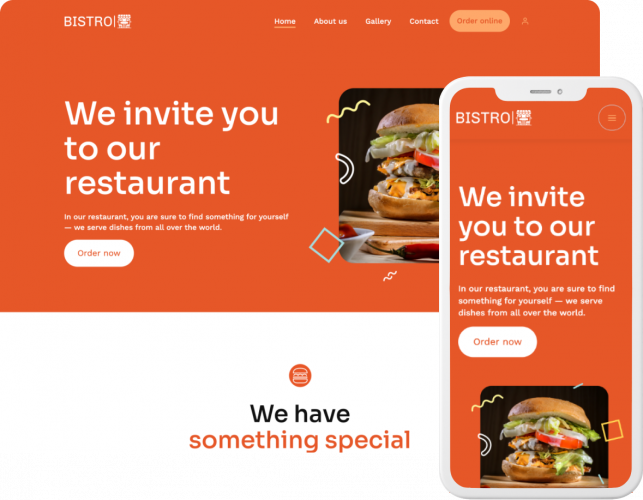
Which Builder Is Right for You?
You want more orders → UpMenu
You want design freedom → Wix
You want a premium look → Squarespace
Key insight: The biggest difference between builders is not design—it’s whether they help you generate revenue.
Before You Choose a Builder
Make sure your platform supports:
- Online ordering
- Mobile optimization
- Fast loading speed
- Easy menu updates
- Integrations (POS, payments, delivery)
If it doesn’t, you’ll end up adding tools later—which increases cost and complexity.
How to Create a Restaurant Website (10 Steps)
You don’t need weeks to launch a restaurant website.
If you use the right website builder, you can go live in a day. The key is focusing on what actually matters: menu, ordering, and a smooth customer experience.
Here’s a simple step-by-step process.
Step 1: Define Your Goal
Before choosing a tool, decide what your website should do.
- Get more online orders
- Collect reservations
- Showcase your menu
- Build your brand
Most restaurants should focus on direct orders first.
Step 2: Choose the Right Platform
Pick the method that matches your needs:
- Fast launch → website builder
- More flexibility → WordPress
- Full control → custom development
Check if online ordering is built-in or requires integrations.
Key insight: Choosing the wrong platform is the most common mistake—and the hardest to fix later.
Step 3: Pick a Restaurant Template
Start with a restaurant website template. This saves time and ensures you include key elements.
What to do:
- Choose a restaurant-specific template
- Ensure it includes: hero section, menu layout, CTA buttons (Order Now, Book a Table)
- Keep structure simple and conversion-focused
Don’t start from scratch unless you have to.
Step 4: Add Your Menu (Most Important Step)
Your menu is the most visited and most important part of your website.
What to include in your digital menu:
- Menu categories (e.g., Pizza, Drinks, Desserts)
- Item names + prices
- Menu descriptions (short and clear)
- Modifiers/extras
- Allergen info
- Photos

Make sure your menu is:
- Easy to scan
- Mobile-friendly
- Always up to date
Step 5: Enable Online Ordering
If your website doesn’t let customers order, you’re missing revenue.
You have two options:
- Built-in online ordering system (best option)
- Third-party integrations
Direct ordering helps you avoid commissions and increase margins. Delivery platforms typically charge a 15%-30% commission, which can significantly reduce your profit per order.

Step 6: Optimize for Mobile
Over 60% of website traffic comes from mobile devices.
What to do:
- Make navigation simple and mobile-friendly
- Ensure CTA buttons are large and visible
- Optimize loading speed
Test everything on your phone before publishing.
Step 7: Add Key Information
Make it easy for customers to find common information.
What to do:
- Add opening hours
- Embed location (Google Maps)
- Show phone number
- Clearly display delivery/pickup options
If users can’t find this in seconds, they leave.
Step 8: Add Photos and Branding
Good visuals increase trust and conversions.
What to do:
- Upload real food photos
- Add interior shots
- Use consistent colors and branding
Avoid stock photos—real images perform better.

Step 9: Connect Payments and Integrations
Depending on your setup, connect:
- Payment methods (card, Stripe, Apple & Google Pay)
- POS system
- Delivery integrations
This step is critical if you plan to start selling food online.
Step 10: Publish and Test Everything
Before going live, make sure everything works.
What to do:
- Test ordering flow end-to-end
- Check mobile experience
- Fix broken links and grammar errors
- Test page speed
Place a test order yourself—it’s the fastest way to find issues. Everything looks good? Start accepting direct online orders.
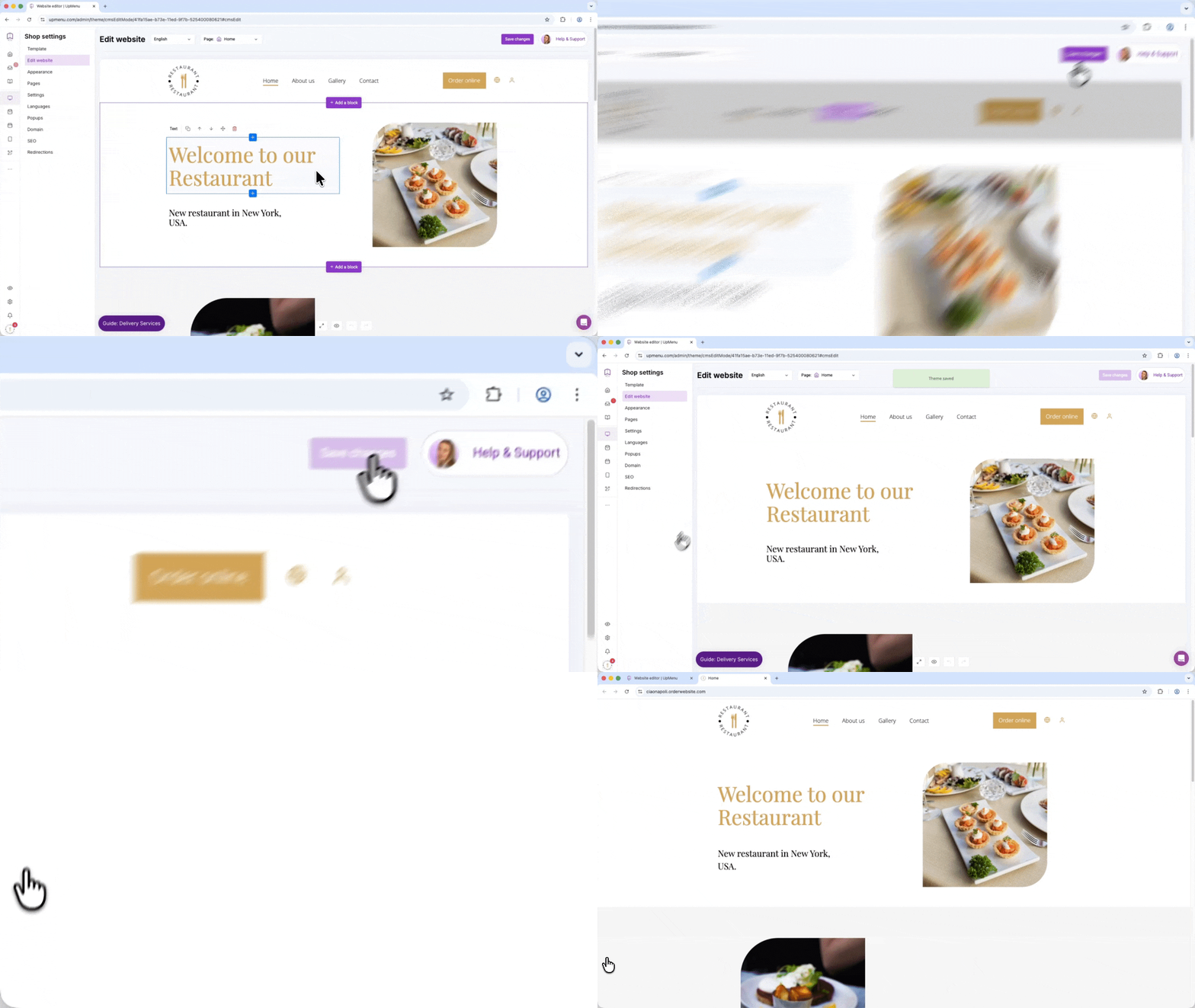
What Should a Restaurant Website Include?
A restaurant website doesn’t need many pages—it needs the right elements.
If your site helps customers quickly find your menu, place an order, or get directions, it’s doing its job.
Here’s what actually matters.
1. Menu & Ordering
This is the core of your website.
What to include:
- Clear, easy-to-scan menu with prices
- Mobile-friendly layout
- Online ordering or reservations
- Visible “Order Now” or “Book Table” CTA
This is where most conversions happen.
2. Mobile Experience & Speed
Most users visit from their phones.
What to include:
- Fast loading (under 3 seconds)
- Simple navigation
- Clear buttons (order, call, directions)
A slow or clunky site kills conversions. Studies show that 53% of users leave a website if it takes longer than 3 seconds to load.
3. Contact & Location
Make this visible without scrolling.
What to include:
- Opening hours
- Address + Google Maps
- Phone number
- Delivery or pickup info
Users shouldn’t have to search for this.
4. Photos & Branding
Your website should match your restaurant experience.
What to include:
- Real food photos
- Interior and atmosphere shots
- Consistent branding (colors, logo)
Good visuals increase trust and orders.
5. Trust & Visibility
Help users feel confident choosing your restaurant.
What to include:
- Customer reviews or testimonials
- Google presence (Google Business Profile)
- Basic SEO (name + location keywords)
Trust is a major conversion factor.
Quick Checklist
Your restaurant website should include:
- Menu with prices: users want instant access to your offer
- Online ordering or reservations: critical for conversions
- Location + Google Maps: supports local searches
- Opening hours: basic trust signal
- Mobile-friendly design: most traffic is mobile
- Food photos (optimized): improve conversion without slowing the site
- Reviews or testimonials: build trust
- Contact options: call, directions, or order CTA
At a minimum, your website should let users do 3 things in seconds:
- View your menu
- Place an order
- Get directions
If they can’t—your website is underperforming.
How to Improve Your Restaurant Website (Tips + Mistakes)
Most restaurant websites have conversion problems.
Small issues like slow loading, unclear menus, or missing ordering options can cost you real revenue every day.
Here are the most common mistakes and how to fix them quickly.
| Mistake | Why it matters | How to fix |
|---|---|---|
| No online ordering | You lose orders and depend on delivery apps. |
|
| Too many steps to order | People give up before finishing. |
|
| Menu is hard to find | People leave if they can’t see your menu quickly. |
|
| Website is slow | People don’t wait—they leave. |
|
| Not mobile-friendly | Most visitors use phones. |
|
| Wrong or outdated info | Customers get confused or lose trust. |
|
Self-Check Questions
Ask yourself:
- Can a user order in under 30 seconds?
- Is the menu visible immediately?
- Does the site work perfectly on mobile?
- Is all information up to date?
If the answer is “no” to any of these, you’re losing customers.
Key insight: The difference between an average and high-performing restaurant website is not design—it’s how easy it is to take action.
Restaurant Website Examples
It’s easier to understand what works when you look at real examples.
Delivery-Focused Website
A delivery-focused website should make ordering the easiest action on the page.

What works here:
- Visible “Order Now” button
- Short path to checkout
- Clear delivery info
Fast Casual Website
A fast casual website should be quick and practical.

What works here:
- Clear menu
- Fast loading
- Visible actions (reservations, location)
Fine Dining Website
A fine dining website should focus on visuals and brand.

What works here:
- High-quality photos
- Clean layout
- Simple navigation
SEO Tips for Restaurant Websites
You don’t need advanced SEO. Just focus on the basics that bring local traffic.
- Use local keywords: Include your city and cuisine in page titles and headings so people can find you in search.
- Optimize your Google Business profile: Keep your hours, menu, and contact details updated and link your website.
- Make your website fast: Reduce image size and make sure your site loads well on mobile.
- Structure your pages clearly: Use simple navigation, clear headings, and keep your most important pages easy to access.
Focus on things you can actually improve, not theory. Creating a restaurant website is not complicated, but doing it right makes a big difference.
If your website helps customers quickly find your menu and place an order—it will drive real results.
Frequently Asked Questions (FAQ)
Do I need a domain for my restaurant website?
Yes. A domain is your website address (like yourrestaurant.com) and makes your business easier to find online. It also helps build trust with customers.
How do I buy a domain for my restaurant website?
You can buy a domain from providers like GoDaddy or Namecheap. Choose a name that matches your restaurant, keep it short, and use a common extension like “.com” if possible.
Do I need hosting for my restaurant website?
If you use a website builder, hosting is included. If you choose WordPress or a custom-built site, you’ll need to buy hosting separately.
What pages should a restaurant website include?
Most restaurants only need a few key pages:
- homepage
- menu
- ordering or reservations page
- contact details
Keeping it simple usually works best.
Why should I have direct ordering on my website?
Direct online ordering helps you avoid third-party commission fees and keep more profit. It also gives you full control over the customer experience and makes it easier to build repeat business.